Google: Connect Search Console with Analytics - Textalk Abicart

Use the search information and read it in Analytics.
Connecting Search Console with Analytics
Connecting Search Console to your Analytics account brings your organic search data into one place. You'll be able to see how your pages rank, which searches bring visitors to your site, and what those visitors do once they arrive, all without switching between two separate tools.
Once the two are linked, Search Console data appears directly inside Analytics, so you only need to log in to one place.
How to Connect
- In Admin, under Product links, click Search Console Links.
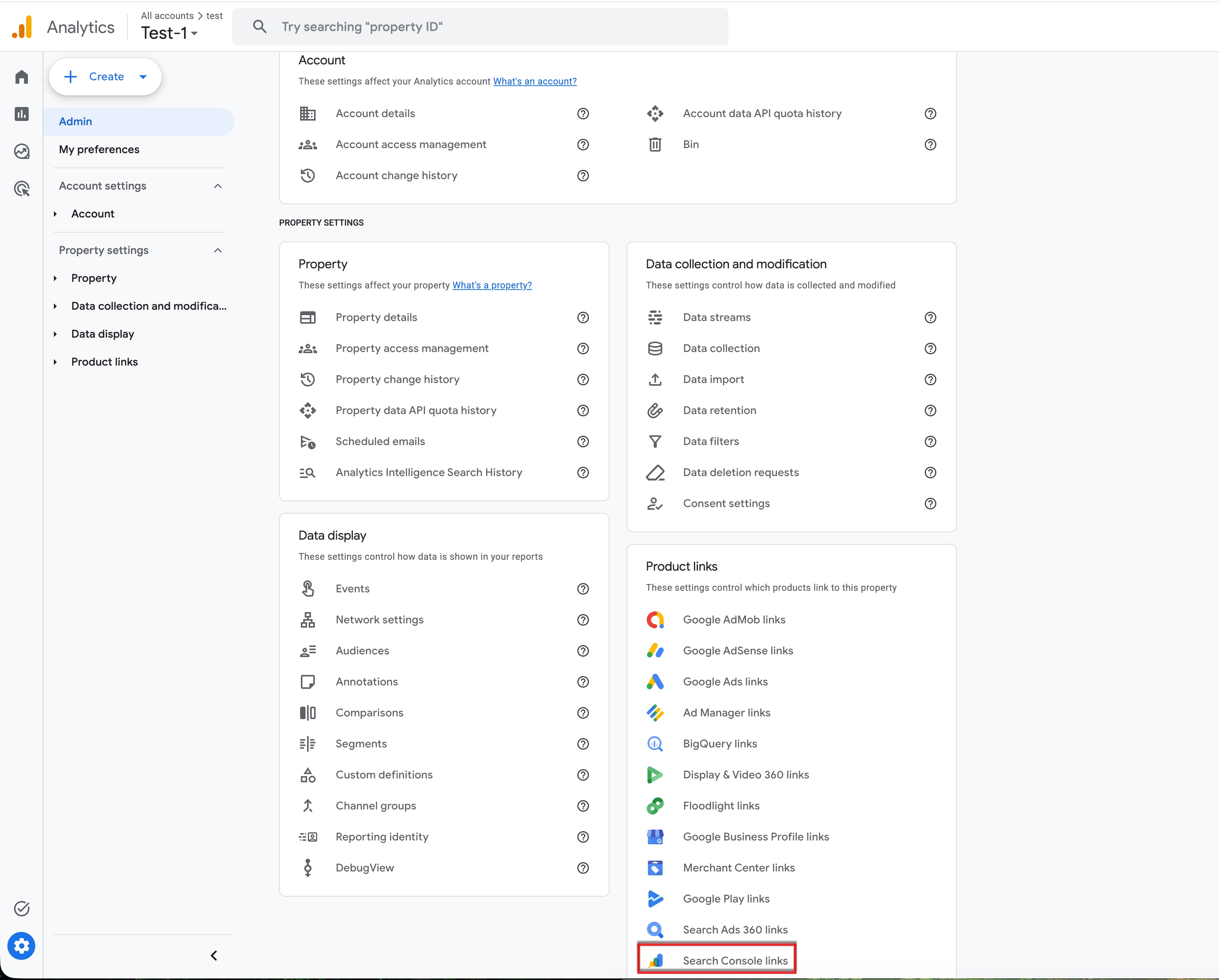
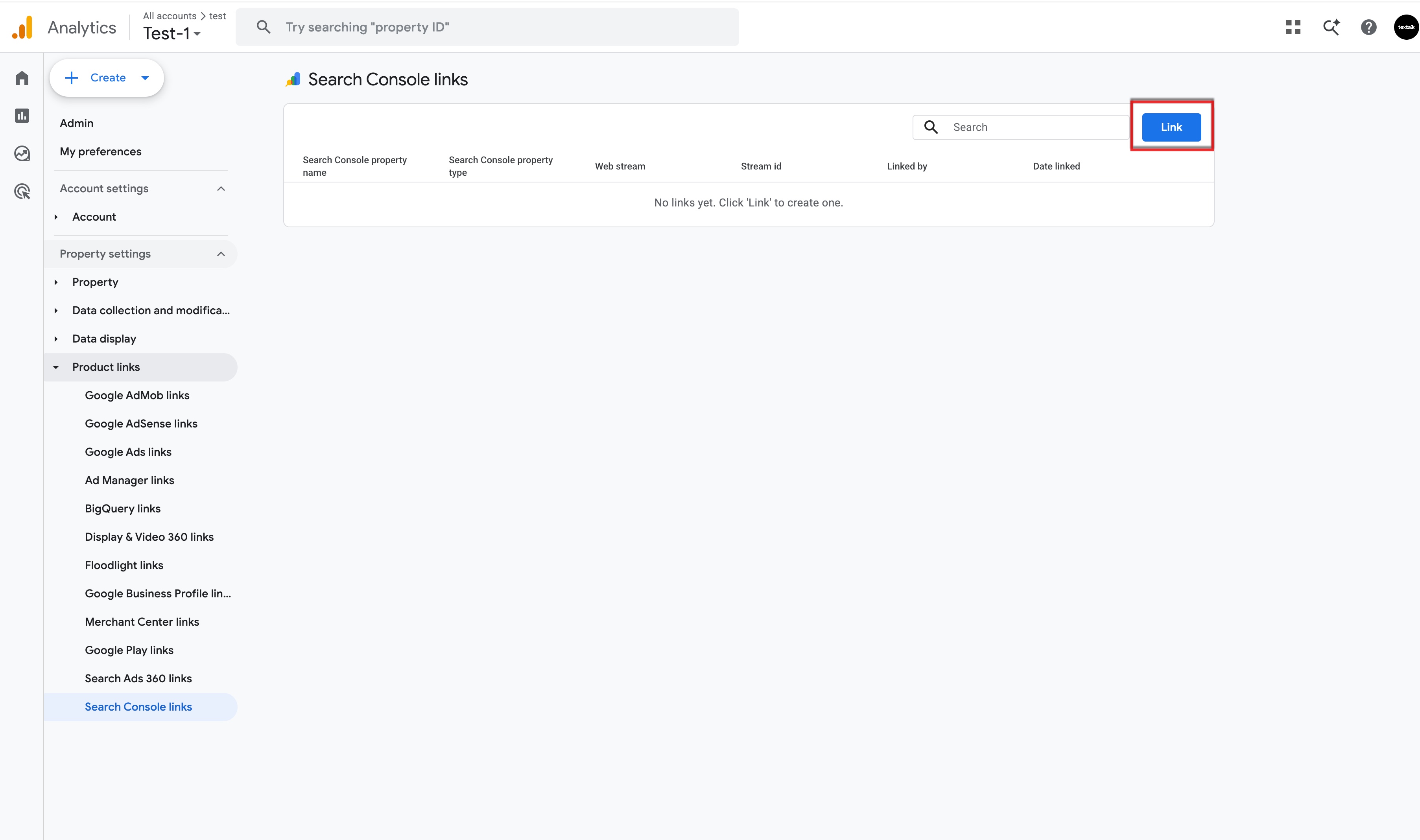
- In the link table, click Link.
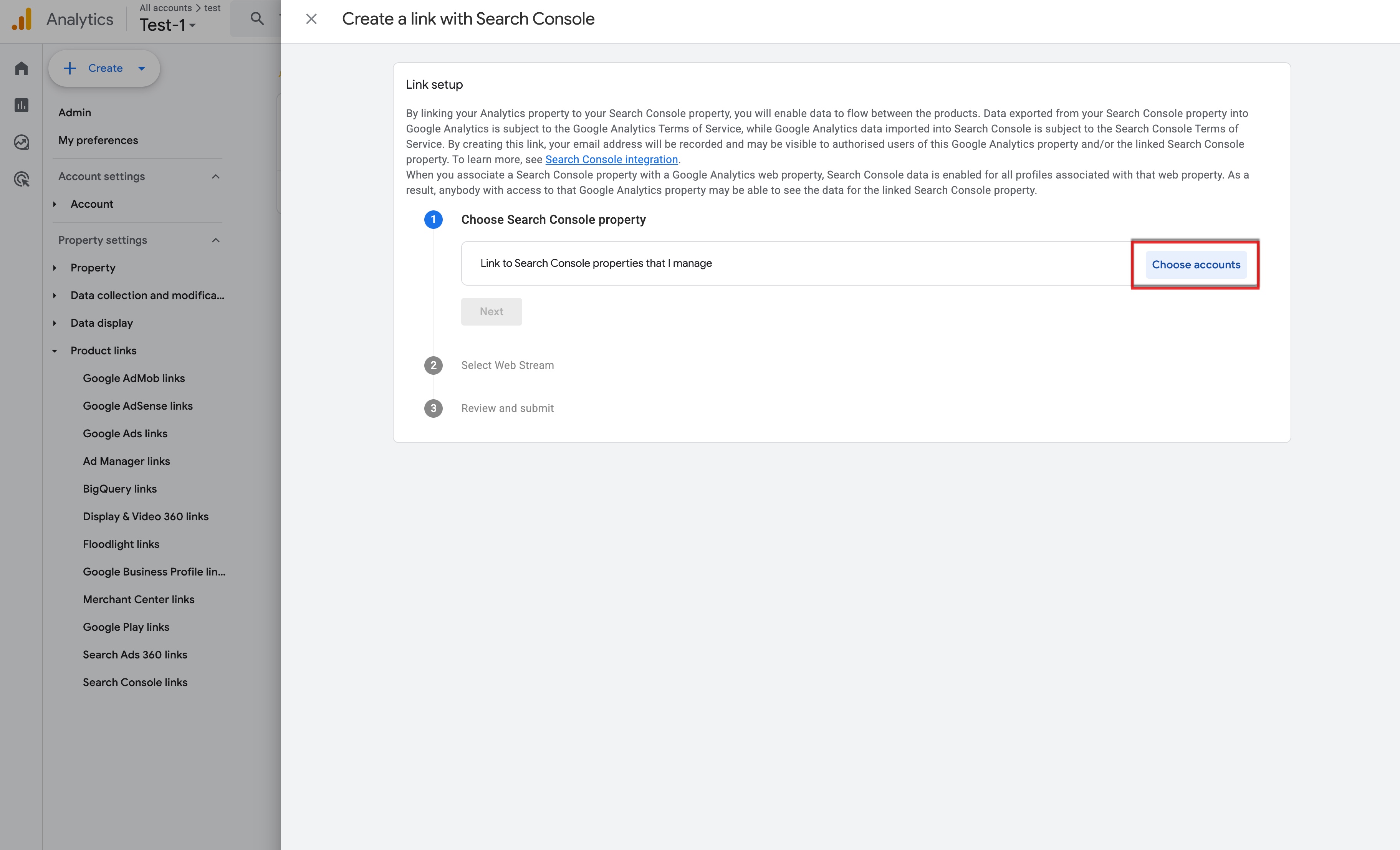
- If you are a verified owner for one or more Search Console properties, in the row for "Link to Search Console properties I manage", click Choose accounts, then select the account you want to link your property to.
- Click Confirm.
- Click Next.
- Select the web data stream for your site.
- Click Next, then review and submit your configuration settings.
Where to Find Your Data
Once connected, go to Acquisitions → Domains & SEO in Analytics to view your Search Console data.