Kustom Shipping Assistant (KSA) - Shipping Methods in Abicart - Textalk Abicart
1. KSA with your own shipping methods in Abicart
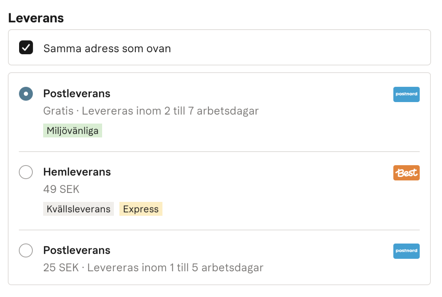
With this set of KSAs, the delivery methods you created in Abicart are still used, but instead of the delivery methods being shown under the shopping cart in the checkout, they are listed in the Kustom payment window. Showing your delivery methods together with customer details etc. in the Kustom window provides a customized checkout experience where the customer makes all choices directly in the Kustom checkout.
This is how you do it:
Settings in Abicart
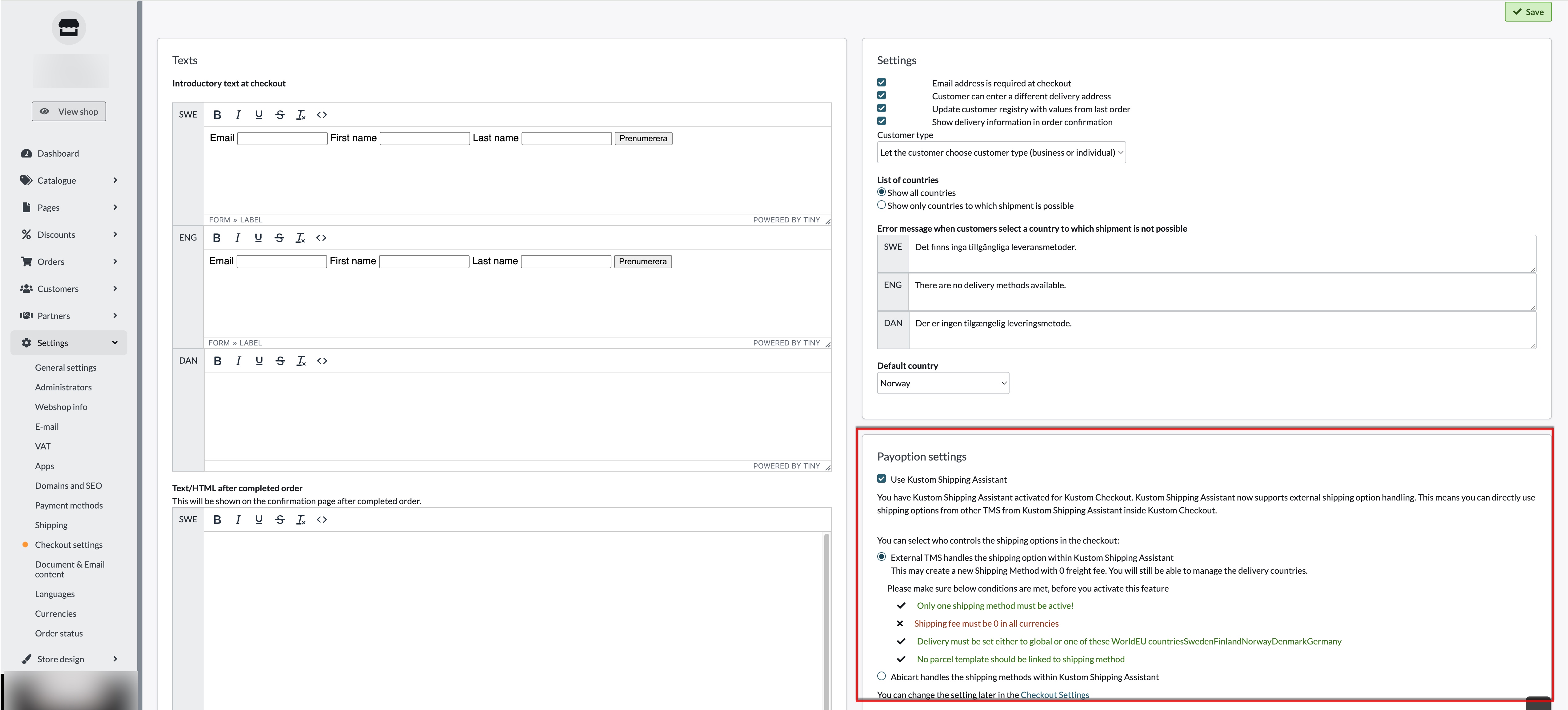
1) Go to Settings >> Checkout
2) Check the box "Use Kustom Shipping Assistant" >> Save
3) Go to Settings >> Shipping
4) Edit your shipping methods by clicking on the Edit icon.
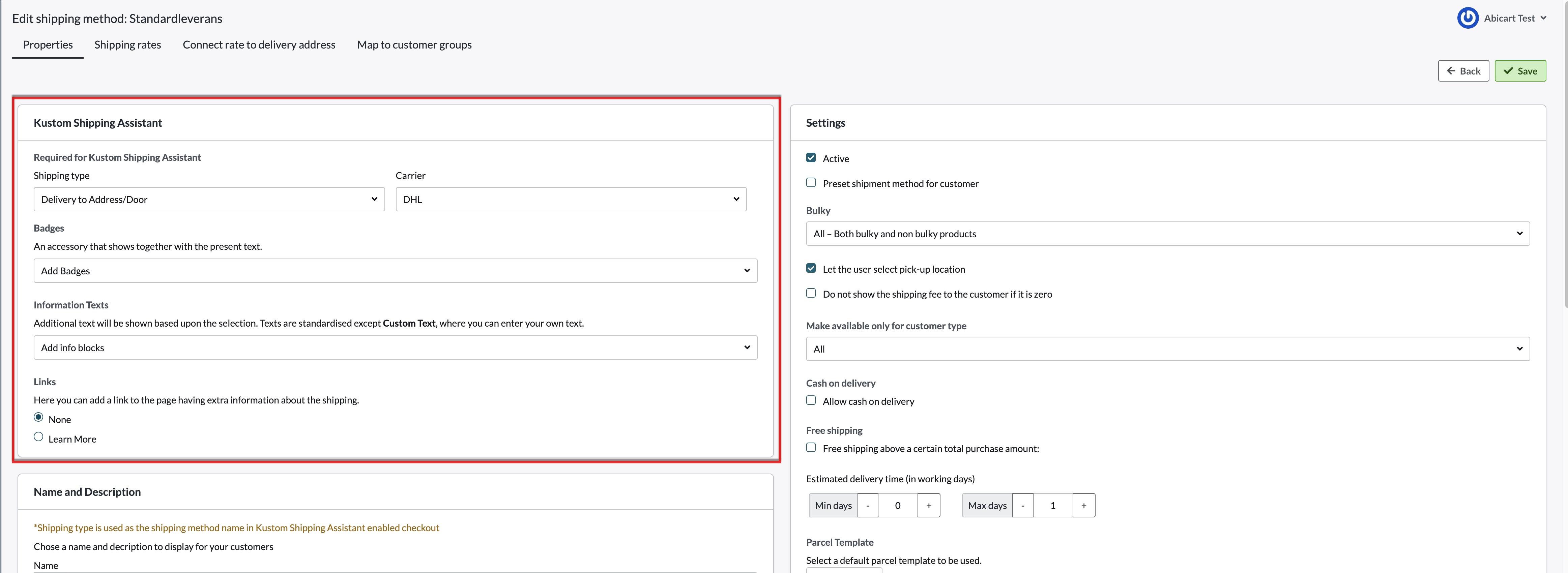
5) On each delivery method you want to show in the checkout, you can set three functions:
Shipping Type:
This sets the method of shipping.
- "Delivery to Adress/Door" - Home delivery
- "Pick parcel from Store" - Pick up in store
- "Delivery to unspecified Pickup point" - Delivery to unspecified pickup point
- "Delivery using Postal Network" - Delivery to Postal Agent
- "Carrier decides Shipping Method" - Carrier decides shipping method
- "Digital delivery for downloadable products" - Digital delivery for downloadable products
Carrier:
Select which carrier you want to use for this shipping method. See options in the list.
Estimated delivery time (in working days):
Enter the estimated number of working days for delivery
6) Click on Save
You are now ready to activate Klarna Shipping Assistant in your store.
To activate KSA, do the following:
7) Go to Settings >> Payment Methods
8) Edit your payment method Kustom Checkout
9) Check "Use Kustom Shipping Assistant"
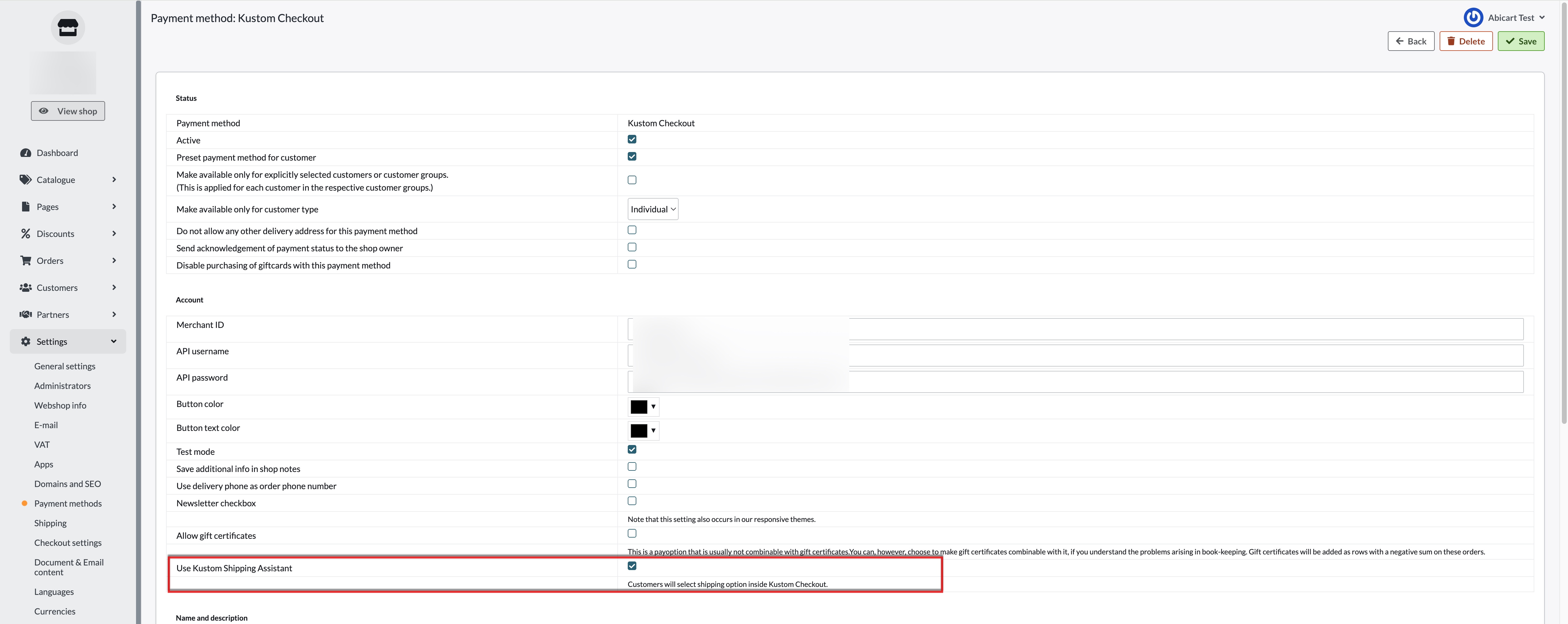
10) Save
When you click "Save", your shipping methods will appear in the Klarna payment window at checkout: