


Products and assortment
-
Market-specific product pricing
28 Nov 2025
Abicart's pricing system offers the flexibility required to manage complex pricing strategies, allowing you to tailor your product offers for different markets, sales events, or customer segments. This functionality is essential for maximizing sales both domestically and internationally, as well as when running a B2B operation alongside a B2C store.The system is built around price lists, providing a powerful structure for all your product pricing needs. Targeted Pricing for Maximum Revenue Multiple Price Lists: You can create unlimited price lists to manage various pricing scenarios, including regular prices, special/extra prices, and tiered pricing. This feature is a core component of optimizing your sales strategy. Customer Group Pricing: For stores catering to different customer segments, such as private customers and retailers (B2B/B2C), you can create specific customer groups. Each group can be linked to its own unique price list, ensuring that logged-in members see customized pricing appropriate for their segment. Multi-Store Systems: When operating multiple online stores from a single platform (available with the PRO subscription), each sub-store can be independently connected to specific price lists. This allows for precise market-specific or brand-specific pricing across your business ecosystem. Efficient Price Management Managing prices across these different lists is designed to be streamlined and efficient: Scheduled Pricing: For sales events like Black Friday or seasonal promotions, you can schedule a price list to automatically activate and revert at specific dates and times, eliminating the need for manual updates during off-hours. Quantity-Based Pricing (Tiered Prices): Motivate customers to increase their average order value by setting up tiered pricing within a price list. The unit price decreases as the purchased quantity of a product increases, with the changes visible directly on the product page. Bulk Updates: Price lists can be updated manually directly in the administration interface or quickly via file import, making it simple to implement widespread price changes based on product groups or other criteria. This comprehensive approach to pricing ensures you maintain full control over your margins and offer competitive, market-relevant prices to every customer segment.
-
Related products and “Customers also bought”
28 Nov 2025
Abicart's features for related products and "Customers also bought" are powerful tools designed to boost sales and enhance the customer experience in your webshop.Available in Abicart Plus and Pro subscriptions, this functionality lets you intelligently suggest additional items to your customers on product pages, encouraging larger orders and higher average transaction values. Smart Product Recommendations Manually Curated Lists: Easily create specific lists, such as "Accessories" or "You Might Also Like," to display at the bottom of a product page. These lists can be entirely managed by you to ensure the most relevant cross-sells are presented. Automatic Suggestions: Alternatively, let the system intelligently take the lead. By selecting "Automatic" in the settings, Abicart will display products that other customers frequently purchased at the same time as the currently viewed item, or products whose pages they visited beforehand. Flexible Display: You have control over where these product relationship lists are displayed: on the product page, in the shopping cart, or both. You can also customize the presentation style to appear as a list or a table. Streamlined Management with Product Templates For shops with a large inventory, the feature is made even more efficient: Create and save product relationship lists on a Product Template. This allows you to easily apply the same list of accessories or suggested items to many different products simultaneously, saving significant time on manual setup. By leveraging the power of related products, you guide your customers seamlessly through your catalog, transforming browsing into buying and maximizing the potential of every single visit to your store.
-

Product limits and catalog size per plan
28 Nov 2025
Abicart is designed to support your growth and ensure that your online shop can expand its product offering and scale its operations. While all plans come with a generous starting capacity, you can easily extend your catalog size and handling capacity to fit your specific needs.Standard Capacity and Unlimited Orders Regardless of the subscription tier you choose (Go, Plus, or Pro), your store benefits from the following fundamental features: Standard Product Quantity: All Abicart stores are set up with a standard capacity of 5,000 articles. Unlimited Orders: Your shop is built to handle any volume of sales. You can receive and manage an unlimited number of orders without fear of limitations or caps, even during peak seasons. No Transaction Fees: Abicart does not charge you a percentage fee on your sales. You pay only for your monthly subscription, keeping your revenue streams predictable and profitable (though standard costs for third-party payment solutions may apply). Extended Catalog Packages for Growth For stores whose assortment grows beyond the standard capacity, you can purchase extended article packages. These add-ons are available in the Plus and Pro subscriptions. Add-on Package Available in Plans Description Extended number of articles: 15,000 Plus, Pro Increases your store's capacity to manage up to 15,000 articles. Extended number of articles: 100,000 Plus, Pro Expands your store's capacity for large assortments up to 100,000 articles. Extended article quantity: Unlimited Plus, Pro Removes all article quantity limitations, giving you an unlimited catalog size. Capacity by Subscription Tier While the core capacity can be expanded, the advanced tools for catalog management and sales functionality are determined by your chosen subscription plan. Feature Go Plus Pro Advantage Standard Article Quantity 5,000 5,000 5,000 A solid foundation for most small to medium-sized businesses. Extended Article Packages No Yes Yes Ability to scale up to 15,000, 100,000, or an unlimited number of articles. Product Group Linking Only one primary group Unlimited groups Unlimited groups Showcase products in multiple relevant categories to boost discoverability. Product Templates No Yes Yes Easily apply complex attributes and customer choices (sizes/colors) to entire product lines. Product Filtering No Yes Yes Allows customers to quickly sort and find products by price, attribute, color, or size. Price Lists (beyond standard) No Yes Yes Create seasonal campaigns, volume pricing, and custom prices for specific customer groups. For businesses with small or medium assortments, the standard capacity is often more than sufficient. When you need to manage a very large number of articles, or when your products have complex variants and customized pricing, the Plus and Pro plans unlock scalable catalog solutions and advanced management capabilities.
-
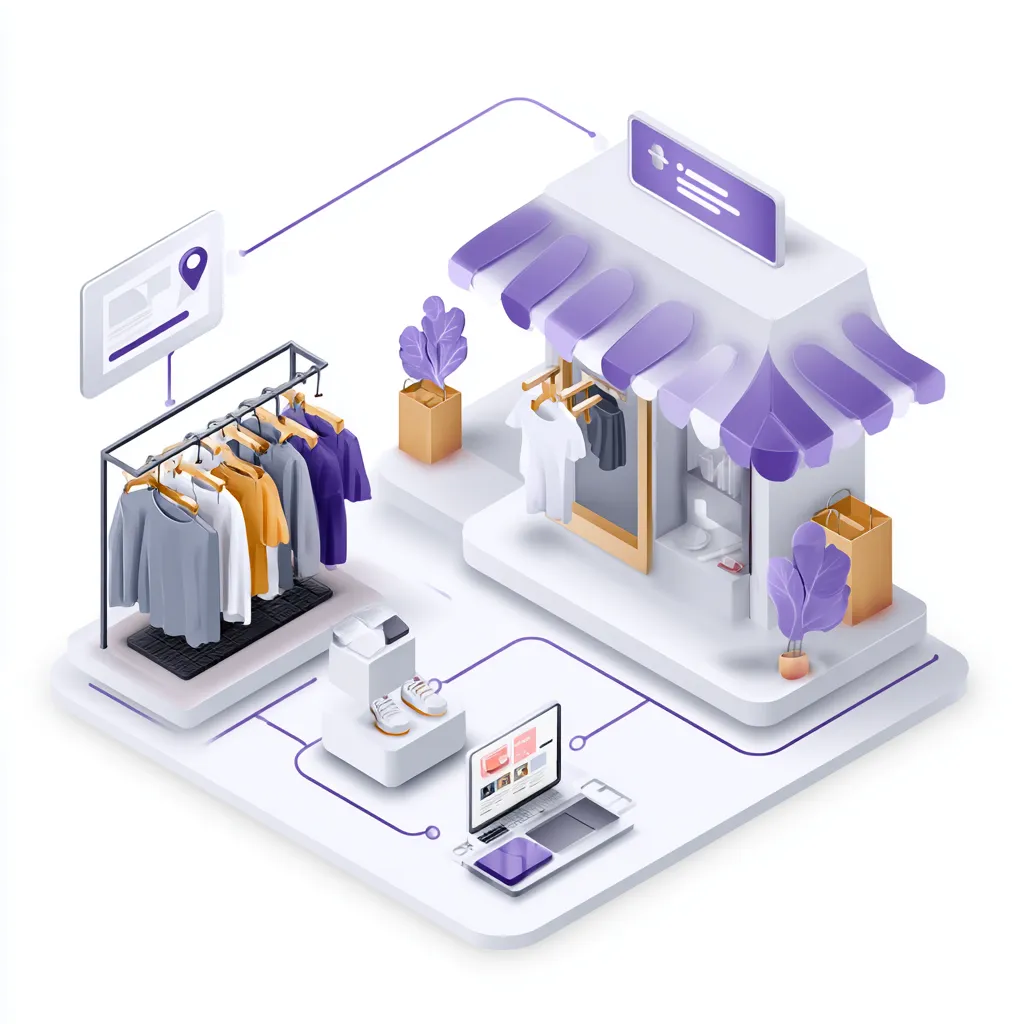
Connecting your online store with your physical store
28 Nov 2025
For businesses operating with both an online shop and a physical storefront, seamless integration between the two is the key to effortless management and maximum efficiency. Abicart provides direct, ready-made connections to leading Point of Sale (POS) and Enterprise Resource Planning (ERP) systems, allowing you to synchronize your entire business operation.This powerful connectivity eliminates the burden of manual double-entry and ensures your data is always consistent across all sales channels. Achieve True Omnichannel Synchronization Integrating your webshop with a business system means your e-commerce platform and physical store systems communicate with each other automatically. This collaboration delivers significant advantages: Real-Time Stock Control: Instantly synchronize inventory levels between your online and physical stores. A product sold in your brick-and-mortar shop is immediately reflected as a stock deduction online, preventing frustrating over-sells and ensuring accurate availability for your customers. Centralized Product and Pricing: Manage product information, including articles and price changes, in one primary system—either your Abicart admin or your ERP/POS system. Updates are automatically pushed across all channels, ensuring consistent naming, specifications, and prices for your products whether a customer shops online or in-store. Streamlined Order and Customer Management: When an order is placed online, it is automatically transferred to your business system. This immediate transfer reduces the risk of administrative errors, simplifies invoicing and accounting, and provides a centralized place for monitoring all sales and revenue. Customer records can also be synchronized, ensuring loyalty programs and purchase histories are consistent. Enhanced Customer Experience: By integrating systems, you create a more transparent and reliable shopping experience. Customers benefit from accurate stock availability and faster, more efficient order processing. Integrated Partners Abicart offers pre-built, seamless integrations with several major business systems, including: POS/Cash Register Systems: Partners like Northmill Flo offer ready integration specifically designed to connect your Abicart webshop with your physical store's cash register, synchronizing products, stock balance, prices, customers, and orders in both directions. ERP/Accounting Systems: Integrations with systems like Specter, Fortnox, Visma Administration, Visma eEkonomi, and BL Administration automate key back-office workflows such as handling orders, managing inventory, and accounting. By leveraging one of these integrations, you minimize manual data handling, save time, and dramatically reduce the risk of costly mistakes, freeing you to focus on growing your business.
-
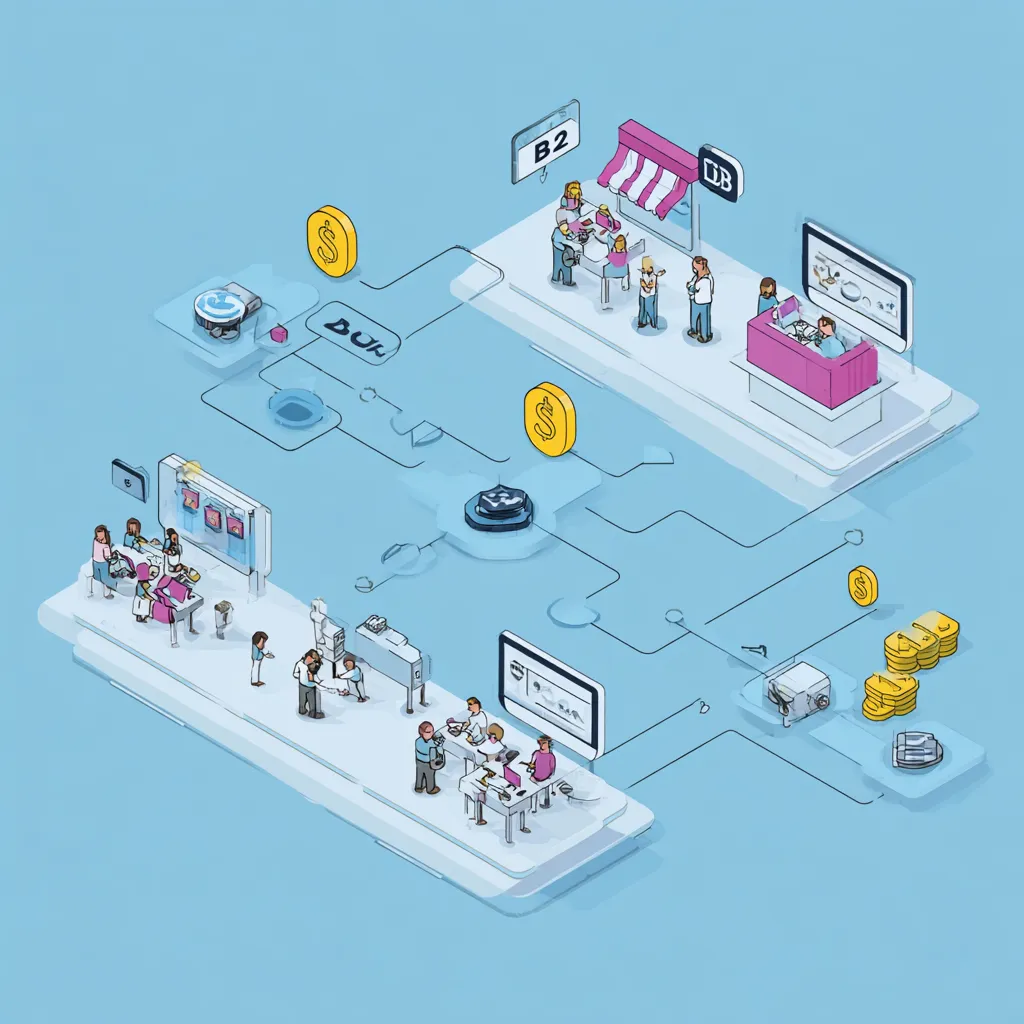
B2C and B2B sales flows in Abicart
28 Nov 2025
Abicart is engineered to empower your business whether you are selling directly to consumers (B2C) or exclusively to other businesses (B2B), or both simultaneously. Our platform is flexible, providing the right tools to create a tailored and efficient shopping experience for every customer segment.Customizing the Shopping Experience For successful e-commerce, it's essential to present the right information to the right audience. Abicart makes this seamless through powerful features like: Customer Groups: Easily segment your market by creating customer groups. This feature is invaluable for B2B sales, allowing you to: Set custom price lists for retailers or VIP members, providing tailored pricing. Control the product selection and range visibility, so certain products or groups are only displayed to specific logged-in customer groups. Manage payment and delivery methods available at checkout for each group. Customer Login: While B2C often benefits from a fast, "guest" checkout, B2B sales often require a verified login for accessing custom prices and restricted products. Abicart offers optional or mandatory login functionality to support different business models. Logged-in customers can also track orders and view their purchase history on "My Pages". Scaling with the Multi-Store System For businesses looking to fully separate their B2C and B2B operations while maintaining centralized control, the Multi-Store System (available in Abicart PRO) is the ultimate solution. Separate Storefronts: You can create entirely separate sub-stores—one dedicated to B2C and another for B2B—each with its own unique design, theme, and domain name. Centralized Management: Despite having separate storefronts, all products, customer data, and order management are handled from one central administration panel (the top level), greatly simplifying administration and updates. Flexible Assortment and Features: Each sub-store can select whether to use all or only a portion of the total product range, and choose which payment and delivery methods apply to its specific target group. By utilizing Abicart's flexible B2B and B2C tools, you can optimize your sales strategy, enhance customer retention through personalized shopping experiences, and ensure efficient, consolidated order management.
-
Price comparison with Pricerunner and Prisjakt
28 Nov 2025
In today's competitive e-commerce landscape, making sure your products are easily found by price-conscious consumers is essential. Abicart provides a streamlined way to integrate your product catalog with leading price comparison services such as Pricerunner and Prisjakt.Expand Your Reach Instantly Price comparison sites act as powerful marketing channels, bringing shoppers actively looking for products directly to your store. By listing your items on these platforms, you leverage their high traffic and reputation as independent comparison services. Abicart simplifies this process by allowing you to generate a product feed, which is a special data file (typically a CSV or XML file) that contains all the necessary information about your products, such as: Product Name and Description Price Item Number Images Shipping Information Instead of manually updating your product listings across multiple sites, Abicart generates a unique URL for this product feed. You simply take this URL and enter it into the administration area of the price comparison service. Automated and Accurate Data Once configured, Abicart ensures that the feed is regularly updated. This means customers viewing your products on Pricerunner or Prisjakt will always see your current prices and inventory information (provided the necessary product details are entered in your shop). To ensure your products are accurately listed and categorized on these external platforms, the system allows you to easily include essential data like the item number and your chosen shipping method and fee. For a product to be included in the feed, basic information such as the item number, product name, description, group, and price must be filled in. By utilizing this feature, you can effectively market your competitive pricing and quality products to a massive audience of conscious consumers, increasing traffic and sales opportunities for your online shop.
-

Product reviews with Trustpilot, Lipscore and Yotpo
28 Nov 2025
Integrating customer reviews into your webshop is vital for building trust and increasing conversion rates. Abicart supports integrations with leading product review platforms to collect, display, and manage feedback directly on your product pages.The Power of Product Reviews Reviews allow customers to share their experiences with specific products, which are then typically presented below the product description. A steady flow of credible reviews makes potential customers feel more confident about shopping, leading to increased conversion and providing valuable insight into the customer experience. Supported Integrations Abicart offers native support for popular product review services: Trustpilot: You can display Trustpilot product reviews on your pages. Trustpilot requires products to have a valid SKU or product number. You need to obtain a Trustpilot package and their product review service. Yotpo: You can display Yotpo product reviews on your pages. The free version of Yotpo is generally sufficient to get started. Yotpo requires all products to have a product number and does not allow special characters (like spaces or punctuation) in the item number.
-
Product templates: reusing settings for similar items
28 Nov 2025
Product templates are a powerful feature in Abicart, designed to significantly streamline the creation and management of similar products in your shop. Instead of manually configuring the same options and properties for every single item, you can define a standard set of configurations once and apply it across numerous products.This feature is included in the Plus and Pro subscriptions.Key Possibilities with Product TemplatesProduct templates allow you to predefine the structure for three main types of settings:Customer Choice (Sizes/Colors): You can easily create various choices such as sizes, colors, materials, or other options that customers must select before adding the product to the shopping cart. This is ideal for product lines where variants like sizes and colors are consistent.Properties (Attributes): Templates can be used to set up custom attributes (e.g., genre, director, actor for movies) that present information in a neat table format on the product page. Once the template is linked to a product, you simply select the specific values for that item.Related Products: You can manually create and link a relationship list, such as for "Accessories," directly on the template. Applying this template instantly applies the list to multiple products, allowing you to easily promote complementary items.By leveraging product templates, you save time, reduce the risk of manual input errors, and ensure a consistent customer experience across your product range.
-
Using AI to generate product descriptions and translations
28 Nov 2025
Abicart integrates AI capabilities to help streamline content management in your webshop, making it faster to launch new products and expand into international markets.Automatic Product DescriptionsCreating engaging and accurate product descriptions can be time-consuming. Abicart's AI can automatically generate product descriptions , helping you enrich your catalog content quickly and efficiently.Automated TranslationsExpanding your business internationally requires translating large volumes of text. Abicart facilitates this process by offering automatic translation of product texts, utilizing services like DeepL and Google Translate.This feature is included at no extra cost in all versions of Abicart, making it easier than ever to reach new markets.With the current service, you manage the translations within the admin by clicking the translation button on each product separately.By leveraging these AI tools, you can increase your efficiency and market presence without incurring the typical costs and time associated with manual content creation and translation.
-

Sellable product types: physical products, services, bundles and gift cards
28 Nov 2025
Offering a varied product catalog is key to success in e-commerce. Abicart gives you the flexibility to manage different types of sellable objects, from physical goods to digital services and value offers, all gathered on a single platform.Physical ProductsThe foundation of most online stores consists of physical products. In Abicart, you manage all essential product information in one place – from names and descriptions to pricing, stock levels, SKU/article numbers, weight, and delivery details. This ensures that each product is presented correctly in your store and is ready to sell right away.Services & Digital ProductsDo you sell services, consultations, or digital products? Abicart offers dedicated product types tailored for non-physical offerings. These product types do not include inventory or shipping settings, which simplifies administration and reduces the risk of errors. The result is a smooth and transparent way to manage both services and digital products.Product Packages (Bundles)If you want to increase your average order value and offer more value to your customers, you can create ready-made product bundles. A bundle must include at least two existing products and can have its own fixed price, regardless of the individual products’ regular prices. When a bundle is purchased, inventory levels are automatically updated for all included products. Product bundles are available in the Plus and Pro plans.Gift CardsGift cards are an effective way to boost sales and attract new customers. In Abicart, you can create gift card products with fixed amounts, such as 100, 250, or 500. Customers can redeem gift cards as payment at checkout, either via an automatic email delivery of a PDF gift card or as a physical card. Gift cards are available in the Plus and Pro plans.By utilizing these different product types, you can optimize your sales strategy and offer customers a broad and flexible shopping experience.
-
Shipping package templates
28 Nov 2025
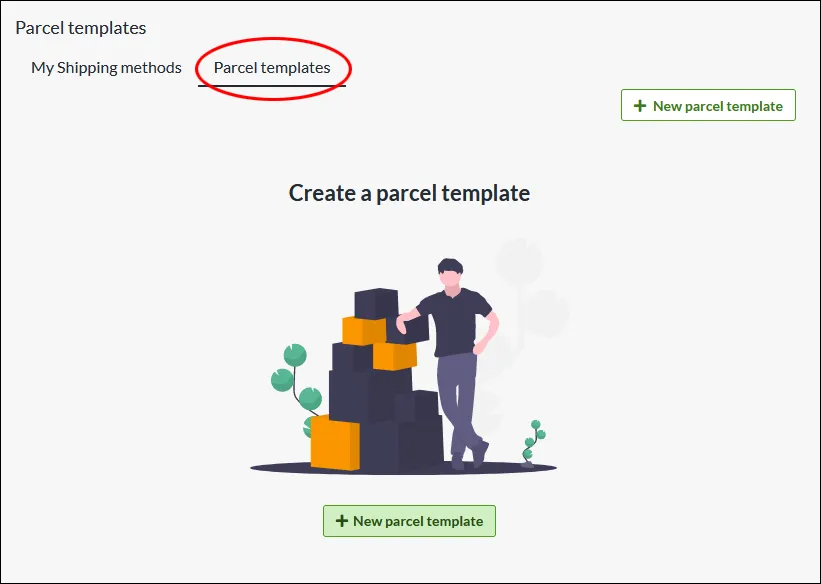
Create templates for the packaging with which you send your orders. Enter the weight and dimensions on the package template, which is then calculated into the total weight of the order.What is a parcel template? If you have different sizes of packaging that you send your orders in, you can create different templates for this which are then included in the total weight. Do I have to create parcel templates? Some integrations, like Shipmondo, require that you have a parcel template for the delivery methods. Otherwise, this is an optional feature to use. Create a parcel template Under Settings -> Shipping there is a tab at the top called "Parcel templates". Click on "New parcel template" NameChoose a descriptive name, this is only shown to administrators. WeightThe weight of the package, combined with the products, will be the total weight of the shipment. Type of packageSelect the type of package... DimensionsChose unit. Millimeter is default. In this example, we add "Standard carton" as name, the weight to 100 grams, type "Package", width 400mm, height 50mm and length 300 mm. Linking a parcel template to a delivery method On each shipping method there is a setting to select the parcel template. Go to Settings -> Shipping -> select a shipping method and click on the name to edit. In the right block “Settings”, at the bottom there is the setting for “Package template”. Select one of the templates you have created >> Save Then check the box “Include package weight for shipping fee calculation” >> SaveThe weight from the parcel template will now be added to the weight from the shopping basket and give the customer the shipping fee according to the weight-based shipping tariff.
-

Product monitoring
28 Nov 2025
Avoid missed sales opportunities when popular products are temporarily out of stock. With Abicart’s Product Monitoring feature, you can easily keep customers engaged and informed when their favorite products are back in stock. A smooth and customer-friendly feature that makes your online store more attractive and encourages repeat visits.With Abicart’s Product Monitoring feature, you give your customers a simple reason to return to your online store. When a product is out of stock, customers can choose to watch it and automatically receive an email as soon as the item is available again. This reduces the risk of lost sales and increases the chances of turning interest into completed purchases. The feature is activated in your Abicart admin and replaces the buy button with a “Watch” button when a product is out of stock. Customers simply enter their email address and receive an automatic notification once the product is back in stock. The feature is included at no extra cost in the Abicart Plus and Pro plans—an easy way to improve the customer experience and boost sales.
-

Maximize sales in your webshop with Abicart's multi-store and multi-shop system
28 Nov 2025
One click away from becoming the e-commerce king of your industry? Time to put the spotlight on your success with Abicart's multi-store system! Dream big, aim high and let your online empire expand to new horizons. Plunge into the digital landscape with our cost-effective, flexible and powerful platform that allows you to successfully navigate multiple online stores under the same umbrella. Imagine a centralized administration, tailored branding and a world of opportunities for both consumers and retailers. Get on the e-commerce throne and start building webshops with Abicart!Do you dream of expanding your online business, reaching multiple audiences and optimizing your business processes? Abicart's multi-store system is the perfect solution for you! With this powerful and flexible tool, you can easily run multiple online stores under one roof, while streamlining administration and minimizing costs.Click here and start your webshop - Free demo! Abicart's multi-store system / multi-shop is included in Abicart PRO and each subshop costs as Plus. Read more about Abicart PRO Why choose Abicart's multi-shop system? Cost efficiency: Run multiple online stores within the same system, reducing costs compared to having separate PRO subscriptions for each store. Centralized administration: By using the multi-store system, you can easily manage all orders from your different online stores in one place. This saves you time and effort, as you don't have to manage multiple separate systems. Flexibility and customization: The multi-store system allows you to choose whether a sub-store uses all or part of the range, as well as customize payment and delivery methods for each individual sub-store. This gives you full control over the products and services offered in each store and how they are presented to customers. International sales: If you sell to several different countries, you can create a sub-store for each country to customize the range, languages and currencies according to their specific needs. This makes it easier to offer a localized shopping experience for your international customers. Retailers and private customers: The multi-store system is great for businesses that sell to both private individuals and retailers. You can create your own sub-store for retailers with customized prices, offers and terms. Personalized branding and design: Each sub-store can have its own unique look, theme, and domain name, giving you the ability to create a tailored and professional presence for each store and brand. Scalability: Abicart's multi-store system is designed to grow with your business. As your business expands and evolves, you can easily add more sub-stores to reach new markets and target groups. Click here to start your online shop - Free demo! Note that the multi-store system is designed for a business that wants to have several different stores under the same organization. If you have several separate companies and want to have different stores for each company, it is not recommended to use the multi-store system. Instead, you should consider creating individual stores for each company. Things to consider before activating the multi-store system: Revocation: once the multi-store system is activated, there is no way to undo it and revert to a single store. Make sure you are absolutely sure that you want to use the multi-store system before activating it. If you are unsure, you can create a demo shop and test the multi-store system first, at no extra cost. Merging existing stores: Please note that you cannot merge existing stores into a multi-store system. You need to activate the feature in one store and then create all new stores in this multi-store system. You can hide sub-stores that should no longer be active, but you cannot delete them. To activate the multi-store system, contact Abicart support and we will help you with the activation.With Abicart's multi-store system, you get a powerful, flexible and cost-effective solution that allows you to run multiple online stores simultaneously and effectively manage your online business. It gives you full control over your business and the ability to customize each store to your specific needs and target audiences. Invest in Abicart's multi-store system today and take your online business to the next level!Read more in the multi-store system manual:https:// www.abicart.se/om-abicart/manual/flerbutikssystem/flerbutikssystem-oversikt Example:Merch-Ants Sthlm AB (same backend and multiple stores) PC Gamer Hellacopters Backyard Babies Erik Grönwall Super 8 Skid Row - Official European Store Apocalypse Orchestra The Unguided Hardcore Superstar True Metal Merch Multiple online stores under one roof - Try it for free!If you haven't started an online store with Abicart yet, it's time to discover the amazing possibilities that await you. With Abicart's user-friendly and powerful platform, it's easy to get started and create a successful online business. You can start by trying Abicart for free and exploring the various features, including our unique multi-store system that allows you to run multiple online stores under one roof. Don't hesitate - take the plunge today and experience how Abicart can help you reach new heights in your online sales and grow your business. Remember, trying Abicart is completely free and there is no risk in testing. We are confident that you will love our platform and the opportunities it gives you to create a successful online store. Click here and start your webshop - Free demo!
-
Product filtering
28 Nov 2025
Product filters are an essential feature in your online store, helping customers quickly and easily find the right products. Attribute filters allow customers to narrow down the selection based on characteristics such as size, color, or material, while price filters make it possible to display products within a specific price range. Customer selection filters also enable shoppers to filter based on their own preferences and choices, creating a more personalized and relevant shopping experience. By offering clear and useful filters, you increase the likelihood that customers find the right product faster—leading to higher customer satisfaction, improved conversion rates, and increased sales for your store.Product filters are an invaluable feature in your online store, benefiting both you as a merchant and your customers. Clear and well-designed filters allow customers to quickly find products that match their needs and preferences, creating a smoother, more relevant, and less time-consuming shopping experience. For you as a merchant, effective product filters mean that more customers find the right products and complete their purchases. This leads to higher customer satisfaction, increased conversion rates, and a reduced risk of incorrect purchases and returns. At the same time, it increases the likelihood that customers will return to your store. The most common types of filters are attribute filters, price filters, and customer's choice filters.Attribute filters allow customers to filter products by characteristics such as color, size, or material. Price filters make it easy to display products within a specific price range and help customers stay within their budget. Customer selection filters let shoppers filter based on their own choices and preferences, such as specific variants or features relevant to the product. In summary, product filters contribute to a better customer experience and a more efficient online store. By making it easy for customers to find the right products, you create both happier customers and stronger sales results.
-
Favorite list/Wishlist
28 Nov 2025
Increase sales and strengthen customer relationships by enabling the favorites feature in your Abicart online store. With our favorites feature, customers can easily mark and save their favorite products.Have customers shown interest in your products but never returned? The favorites feature is a simple and effective solution. With the favorites feature, customers can easily mark and save products they like directly in your online store. By clicking the heart icon on a product page, the item is saved to the customer’s personal favorites list. This makes it easy for them to return and find their favorite products again—without having to browse through the entire store. The favorites feature is easy to enable in your Abicart theme and helps create a more personal and engaging shopping experience. By making it easier for customers to return to products they’ve already shown interest in, you increase repeat visits and sales opportunities. Enable the favorites feature in your store and give customers a smooth way to save, return, and purchase.
-

Digital products
28 Nov 2025
Sell files that your customers can download after completing a purchase. Of course, you can sell digital goods and products in your Abicart webshop. For example, services or downloadable files. An example of a customer of ours who sells digital products is eClassical who sells classical music in 24-bit studio quality. Other digital products can be art, videos or high-resolution images. A digital downloadable product is available to the customer immediately after purchase.10 digital products you can start selling todayFor more tips on digital products, read this article from Jennie at digitalentreprenher.se (who also sells digital products through her webshop in Abicart)Here you can read more about Jennie's course Starting your e-commerce
-
Product groups in your webshop
28 Nov 2025
Make it easier to navigate your catalogue by adding product groups.Organizing products into clear and well-structured product groups is an important part of running a successful online store with Abicart. It helps customers quickly orient themselves in the store and easily find the products they are looking for.When product groups are logical and easy to understand, navigation becomes smoother and the overall shopping experience improves. At the same time, a clear structure makes it easier for you as a store owner to organize products, manage product information, and work efficiently with pricing.A well-structured online store with clearly defined product groups enhances the user experience, increases conversion rates, and encourages customers to return and shop again.
-
Product variants / customer choice
28 Nov 2025
Optional product variants such as color, size and material with the possibility of a price increase or decrease for your different variants.
-
Import / export of assortment
28 Nov 2025
Import and export all or part of your assortment from excel or csv files. Read more in the manual about Importing and exporting assortments in your webshop
-

Product range
28 Nov 2025
Physical and digital products, services, packages or gift cards.In Abicart you can have up to 5000 products in your subscription. Do you have more products? No problem, you can buy more. Up to 15,000 items: 200 SEK/mUp to 100,000 items: 300 SEK/mUnlimited items: 500 SEK/mThere are also solutions for those who sell services or digital products for download.Read more about product handling in Abicart here Read more about products in the Abicart manual