


1 min read
Enter percentage extra price on several products at the same time

Instructions for price lists
Go to Assortment -> Pricing -> select a price list and click on it.
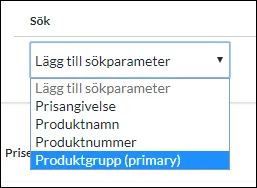
First you search for the products you want to set a surcharge on. To search for all products in a certain product group, add a search parameter called "Product group (primary)".
Then click the list on the right.
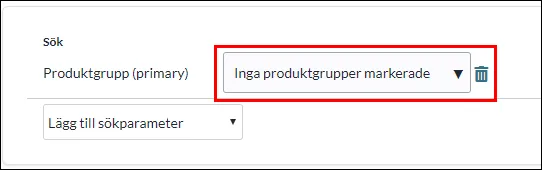
Select which group(s) will receive new extraprices.

Then click on the SEARCH button so that the products are displayed below.
Then click on the Tools button in the top right corner and check "Add percentage change to prices".
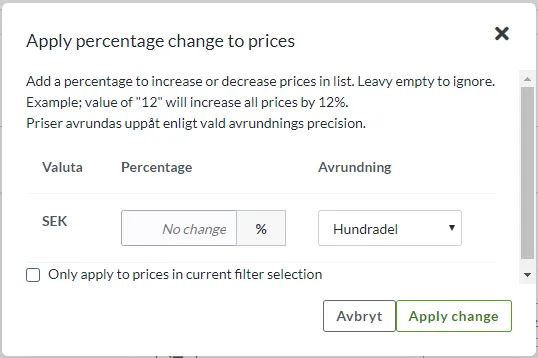
Enter percentage and any rounding.
Tick the "Only apply to prices in current filter selection" checkbox. Then only the selected product groups will be affected.
Then click on "Apply change" and don't forget to save.