


Shipping and delivery
-

Market-specific payment and shipping methods
28 Nov 2025
Successfully expanding your e-commerce business into new markets requires offering local customers the payment and shipping options they know and trust. Abicart provides the flexibility to tailor your checkout experience to meet the precise needs of each country and customer segment.Customized Payment Experience With Abicart, you gain granular control over which payment methods are available based on the customer's location and preferred currency. This capability is essential for maximizing conversion rates in international sales. Per-Country Restriction: For every payment solution you implement, such as Stripe, Nets Easy, or various checkout providers like Klarna and Svea, you can specify the exact countries where it should be offered (or explicitly excluded). This ensures, for example, that country-specific payment options like Swish are only shown to customers in Sweden. Currency Control: If your shop supports multiple currencies, you can restrict a payment method to only be available when a specific currency is selected. This allows you to manage different payment provider agreements effectively. Multi-Channel Providers: Certain payment solutions (e.g., Klarna Checkout, Nets Easy, Svea Checkout) are flexible enough to be set up multiple times within your Abicart admin, using the same account keys but limiting each instance to a specific country and currency combination. This provides a clean, localized look in the checkout. By only presenting relevant payment choices, you reduce friction at checkout, increase trust, and improve the likelihood of a completed purchase. Flexible Shipping Configuration Delivery options are just as critical as payment methods. Abicart allows you to create detailed shipping methods and tariffs that adapt based on the final shipping destination. Country-Specific Tariffs: When you create a shipping method, you define tariffs (rates) that specify the cost based on weight ranges. You can then link these individual tariffs to specific countries, country blocks (like EU countries), or even specific postal codes. Integration with TMS: Integrations with Transport Management Systems (TMS) such as nShift, Postnord TA, or Shipmondo further enhance this capability by allowing for flexible rate calculation and label creation. For instance, Shipmondo supports the creation of shipping templates that factor in sender country, delivery country, weight ranges, and package dimensions. Advanced Delivery Options: For seamless local delivery point selection, services like Klarna Shipping Assistant (KSA) can display external TMS delivery options directly in the checkout window, complete with tracking and service point selection for customers in supported markets. Customizing your payment and shipping offerings is essential for international success. Abicart's platform offers the tools you need to ensure your store feels local to every customer, no matter where they are shopping from.
-

Using nShift and Shipmondo as transport administration systems
28 Nov 2025
Streamline your logistics and minimize manual errors by integrating your Abicart shop with external Transport Management Systems (TMS) like nShift Delivery (formerly Unifaun Online) or Shipmondo.These powerful integrations simplify the entire shipping process, allowing you to manage carriers, print labels, generate shipping documents, and handle customs declarations directly from a centralized platform. Seamless Integration for Efficiency The core benefit of integrating with a TMS is the automatic transfer of critical order information. Instead of manually re-entering data, the relevant shipping details are automatically transferred from your Abicart order to the TMS, which handles the booking process with your chosen carriers. Minimize Errors: Automated data transfer drastically reduces the risk of human error associated with manual data entry. Carrier Management: Both nShift and Shipmondo aggregate multiple carriers, allowing you to manage all your transport options in one unified system. Automated Documents: The systems automatically generate labels, shipping documents, and necessary customs documents, such as the HS number and Country of Origin for exports. Tracking Information: Tracking numbers generated by the TMS are automatically sent back to Abicart and can be forwarded to your customers via delivery confirmation emails, enhancing customer experience. Flexible Export and Booking Options You maintain control over when and how order data is sent to the TMS: Order Export: You can choose to automatically export the full order upon registration or when it is marked as paid. Direct Booking: For efficiency, you can set the system to book the shipment immediately upon export. Partial Deliveries: The functionality supports creating and exporting separate shipments for partial deliveries, giving you the flexibility to ship products as they become available in stock. By leveraging the integration with a sophisticated TMS, your Abicart webshop can transform logistics from a challenge into a highly efficient and automated part of your business operation.
-
Printing shipping labels from Abicart
28 Nov 2025
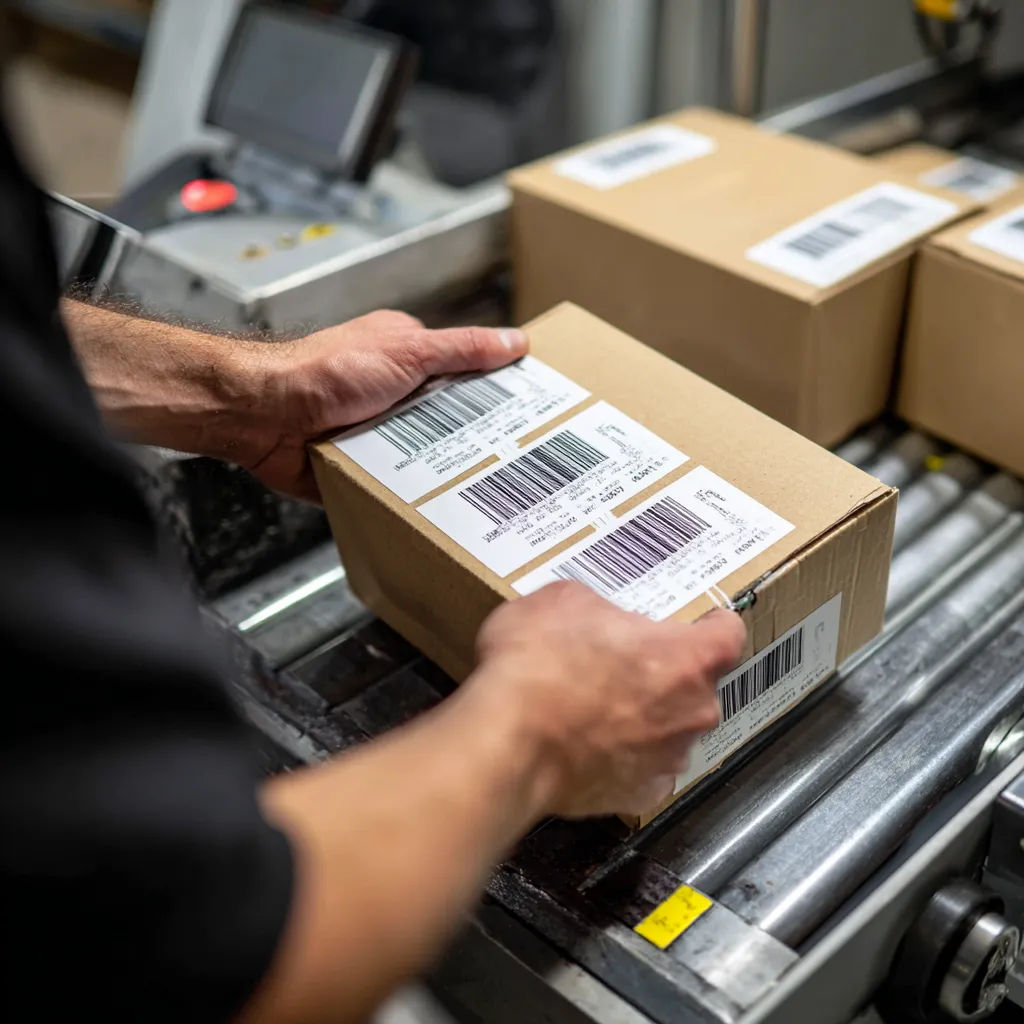
Efficient order fulfillment is critical for a successful online shop. Abicart integrates with Transport Administration (TA) systems like nShift (formerly Unifaun) and PostNord TA (available with the Pro subscription) to streamline your shipping process, including the printing of shipping labels.By connecting your Abicart shop to an integrated TA system, the necessary shipping information is automatically transferred from your order data. This minimizes manual data entry and reduces the risk of errors, saving you valuable time. Integrated Label Generation When an order is placed, it is exported to the linked TA system (e.g., nShift or PostNord TA) based on the event settings you configure for your delivery methods (e.g., upon registration, payment, or manual trigger). Once the order data is received and processed by the TA system, a shipping label and tracking number are generated. For PostNord TA, the system supports printing labels in the ZPL format for use with specialized label printers, often utilizing an external application like the Abicart ZPL PrintApp for Windows. You can manage the printing process by selecting the relevant orders in your Abicart admin under Orders >> Orders and executing the function to produce EDI labels. Benefits of Streamlined Label Printing Direct integration with transport systems through Abicart provides several advantages: Saves Time: Eliminate the need to manually enter address and order details into a separate carrier system. Reduces Errors: Automated data transfer ensures accurate information on your shipping labels. Fast Fulfillment: Quickly generate labels to process and send out orders promptly. Tracking Visibility: The tracking number generated by the carrier is automatically sent back to Abicart and can be included in the delivery confirmation email to your customer. To start using this feature, you typically need to sign an agreement with the respective transport provider (e.g., nShift or PostNord), and ensure all your products have the correct weight entered in Abicart, as this is mandatory for the export process.
-

Shipping classes and partial deliveries
28 Nov 2025
Abicart offers robust features for handling complex shipping scenarios, ensuring a smooth process for both you and your customers. This capability is especially beneficial for managing diverse product ranges and dynamic stock situations.Handling Varied Product Types with Shipping Classes The system allows you to define different shipping classes to accommodate products with unique characteristics, like items that are physically large or heavy. You can utilize a "Bulky" tag for products that require specialized handling or restricted delivery methods. Mark a product as Bulky on its product page in the admin. Configure your delivery methods to either support all products, disable for bulky products, or explicitly enable only when the cart contains a bulky product. This ensures that if a customer has a bulky item in their cart, only the appropriate delivery methods (e.g., "Pick up in store" or a specialized carrier) are presented at checkout. Streamline Fulfillment with Partial Deliveries If an order contains multiple products and some are temporarily out of stock, Abicart's partial delivery feature allows you to fulfill the order in multiple shipments. This prevents delays for the items you currently have on hand, improving customer satisfaction. When an order needs to be split: You can create separate shipments directly from the order page in the administration. For each shipment, you specify the quantity of products being sent. Each shipment can then be individually marked as "shipped" and a tracking code added, with the remaining products marked as "unhandled" until they are ready to go. This function integrates with external systems like nShift and Postnord, provided the proper settings are activated in the respective delivery methods. For large volume operations, consider integrating with a Transport Administration (TA) system like nShift Delivery or Shipmondo, included with the Pro subscription, to automatically handle labels, customs documents, and tracking information.
-

Shipping carrier integrations: PostNord, DHL, Budbee, Instabox and more
28 Nov 2025
Efficient shipping is a cornerstone of a successful e-commerce business. Abicart offers robust integrations with leading Transport Administration (TA) systems, allowing you to streamline your logistics and provide a variety of delivery options to your customers.Key Integrations for Simplified Shipping Instead of manually entering delivery information, our integrations automate the process from order placement to label printing and tracking updates. By connecting your Abicart shop to a TA system, you gain access to a network of carriers, including major names like PostNord, DHL, and specialized services, all managed from a single point. PostNord TA: Leverage the benefits of PostNord's shipping tools to manage shipments easily and smoothly, which is included with Abicart Pro subscriptions. nShift Delivery (formerly Unifaun): This powerful web-based transport management system manages shipments and carriers in one place, handling everything from labels and shipping documents to automatic tracking information. It supports a wide range of services including DB Schenker, DHL Express, DHL Freight, and PostNord services. Shipmondo: Integrate your shop to automatically transfer orders to your Shipmondo account, where you can easily mass-create shipments and print labels. Shipmondo provides a full suite of services, including sending personalized SMS/email notifications to customers about their order dispatch. Freight Brokerage Platforms: Services like Fraktjakt allow you to compare and purchase freight services from various shipping companies, simplifying cost optimization. Enhanced Shipping Features Integrating with a TA system doesn't just simplify internal processes—it significantly improves the customer experience: Dynamic Delivery Options: Offer customers a choice of carriers and delivery methods directly in the checkout, ensuring they can select the option that best suits their needs. Automated Tracking: Tracking numbers generated by the carrier are often automatically sent back to Abicart and included in the delivery confirmation email, allowing customers to easily track their package without manual intervention. Support for International Sales: Integrations often include support for creating customs documents, such as CN22/CN23 and customs declarations, which is crucial for efficient shipping outside the EU. Flexible Fulfillment: Depending on the setup, you can often choose to book shipments immediately upon order placement or manually, providing flexibility for different logistics flows, including handling partial deliveries. Seamless Setup in Abicart Once you have an agreement and the necessary API keys from your chosen TA provider, setting up the integration is straightforward within the Abicart admin panel under Settings → External Connections. To ensure a smooth synchronization, always make sure your products have the correct weight entered, as this is a fundamental requirement for most integrations to accurately calculate shipping and generate labels.
-

Handling returns, complaints and refunds in admin
28 Nov 2025
Efficiently managing returns, complaints, and refunds is key to maintaining customer satisfaction and operational stability for your online shop. Abicart provides the tools within the admin interface to manage these processes smoothly, particularly when integrating with third-party payment solutions.Order Editing and Refunds The ability to handle returns and subsequent refunds is primarily facilitated through the order editing function, which is included in Abicart Plus and Pro subscriptions. If a customer returns a product or has a complaint leading to a refund, you can update the order directly in your Abicart admin. Partial Return/Refund: You can remove specific products from an order, and the stock balance will be adjusted automatically in Abicart. The order total is reduced, but generally, major changes (like increasing the total amount) are restricted, especially with third-party payment services. Full Cancellation/Return: To cancel an entire order and process a full refund, click the "Cancel" button on the order page. If the payment method supports it, a signal is sent to the payment service to cancel the order and trigger the refund. The stock balance is restored automatically. Manual Refunds for Third-Party Payments: For orders paid via a third-party service (like Klarna, Svea, Nets, etc.), if the cancellation signal fails, you might need to log in to the payment company's separate admin portal (e.g., Klarna Online) to manually process the credit/refund. You may also need to log in manually to refund the difference if you edit an order after it has been fully activated/charged, as increasing the order value is typically not permitted through the Abicart integration. By using the built-in order editing and cancellation features, you can ensure that product inventory is corrected and that the correct instructions are communicated to the relevant payment provider to handle the customer refund. Monitoring Stock and Communication When processing returns, your product stock levels are automatically reconciled when an item is removed from a placed order. This integration with stock management ensures product availability is kept accurate. For clear communication, always resend the order confirmation after editing an order to notify the customer of the changes and the updated order summary. It is important to check with your payment provider regarding their specific rules and procedures for handling refunds and cancellations, as Abicart's administration primarily transmits the instruction to the third-party service, which then executes the financial transaction.
-
Pick lists and packing slips
28 Nov 2025
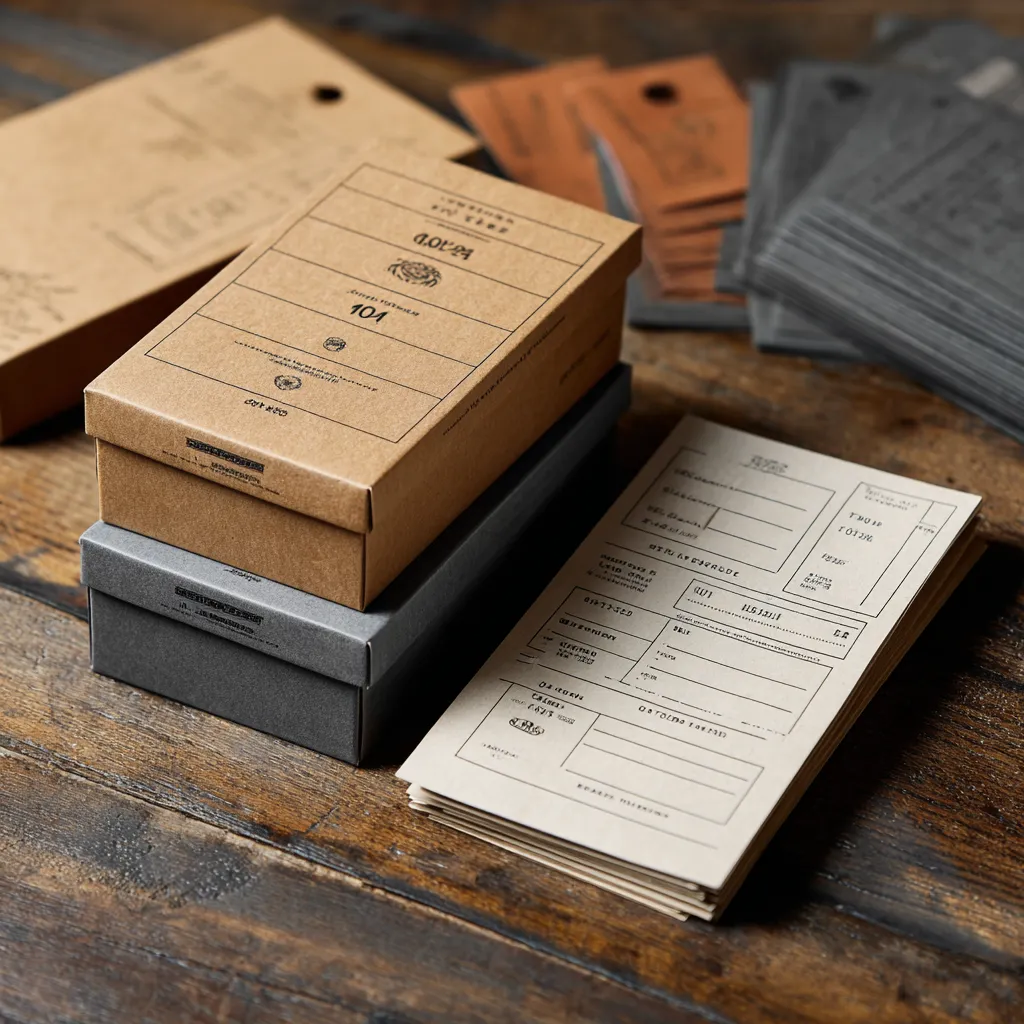
Efficient order fulfillment is crucial for any successful e-commerce operation. Abicart provides built-in tools to help streamline your warehouse processes with customizable picking lists and packing slips.Customizable Documents for Efficient Order Processing You have full control over the information displayed on your picking lists and packing slips, ensuring they meet the specific needs of your business. This customization helps your team quickly and accurately fulfill orders. Picking Lists: Select which order details should be included in the printout of the picking list to guide staff in gathering products efficiently. Packing Slips: Choose the properties to display in the printout of the delivery note, ensuring accuracy when preparing the package for shipment. Print Settings for Localization If you operate a multi-language store, Abicart allows you to set the language for your printed documents, offering flexibility based on administrative or customer preference. Administrator Language: Documents can be printed in the language selected in your admin's "My profile" settings. Customer's Language: Documents can be printed in the language the customer selected when the order was placed. By offering simple, customizable, and localized tools for generating these essential documents, Abicart helps you maintain professional documentation and accelerate your order management workflow.
-

Free shipping thresholds and product-specific shipping fees
28 Nov 2025
Abicart provides comprehensive flexibility in setting up your shipping costs, allowing you to create enticing offers for your customers while maintaining control over your logistics expenses. You can configure your delivery methods to seamlessly handle complex pricing scenarios, ultimately supporting increased conversion rates.Incentivize Purchases with Free Shipping Easily encourage larger orders by setting a free shipping threshold for a specific delivery method. You can define a minimum purchase amount—which includes shipping and other fees—above which the shipping cost is automatically waived for the customer. Customize Shipping for Individual Products For inventory that requires special handling, you can apply rules directly to individual products: Free Shipping per Product: You have the option to set specific products to always have free shipping. If a customer orders multiple items, some with and some without this setting, the regular shipping fee will still apply to the overall order. Handling Bulky Items: Products tagged as "bulky" can be managed separately from your standard offerings. By disabling standard delivery methods for bulky items, you can ensure that customers with large products in their cart are only presented with appropriate shipping options, such as "Pick up in store". Detailed Shipping Rate Configuration Beyond simple flat rates, you can implement dynamic shipping costs using flexible rate tables that integrate directly with geographical and weight data: Weight Ranges and Tariffs: Create customized shipping rates based on the total weight of the order in grams, allowing you to define different fees for specific weight intervals (e.g., 1-1000g, 1001-2000g, etc.). Country and Postcode Control: Apply these tariffs selectively by linking them to specific countries. For even greater control, you can restrict delivery methods to only apply to certain postal code areas, making local delivery services straightforward to set up.
-
Connecting your online store with your physical store
28 Nov 2025
For businesses operating with both an online shop and a physical storefront, seamless integration between the two is the key to effortless management and maximum efficiency. Abicart provides direct, ready-made connections to leading Point of Sale (POS) and Enterprise Resource Planning (ERP) systems, allowing you to synchronize your entire business operation.This powerful connectivity eliminates the burden of manual double-entry and ensures your data is always consistent across all sales channels. Achieve True Omnichannel Synchronization Integrating your webshop with a business system means your e-commerce platform and physical store systems communicate with each other automatically. This collaboration delivers significant advantages: Real-Time Stock Control: Instantly synchronize inventory levels between your online and physical stores. A product sold in your brick-and-mortar shop is immediately reflected as a stock deduction online, preventing frustrating over-sells and ensuring accurate availability for your customers. Centralized Product and Pricing: Manage product information, including articles and price changes, in one primary system—either your Abicart admin or your ERP/POS system. Updates are automatically pushed across all channels, ensuring consistent naming, specifications, and prices for your products whether a customer shops online or in-store. Streamlined Order and Customer Management: When an order is placed online, it is automatically transferred to your business system. This immediate transfer reduces the risk of administrative errors, simplifies invoicing and accounting, and provides a centralized place for monitoring all sales and revenue. Customer records can also be synchronized, ensuring loyalty programs and purchase histories are consistent. Enhanced Customer Experience: By integrating systems, you create a more transparent and reliable shopping experience. Customers benefit from accurate stock availability and faster, more efficient order processing. Integrated Partners Abicart offers pre-built, seamless integrations with several major business systems, including: POS/Cash Register Systems: Partners like Northmill Flo offer ready integration specifically designed to connect your Abicart webshop with your physical store's cash register, synchronizing products, stock balance, prices, customers, and orders in both directions. ERP/Accounting Systems: Integrations with systems like Specter, Fortnox, Visma Administration, Visma eEkonomi, and BL Administration automate key back-office workflows such as handling orders, managing inventory, and accounting. By leveraging one of these integrations, you minimize manual data handling, save time, and dramatically reduce the risk of costly mistakes, freeing you to focus on growing your business.
-
Shipping package templates
28 Nov 2025
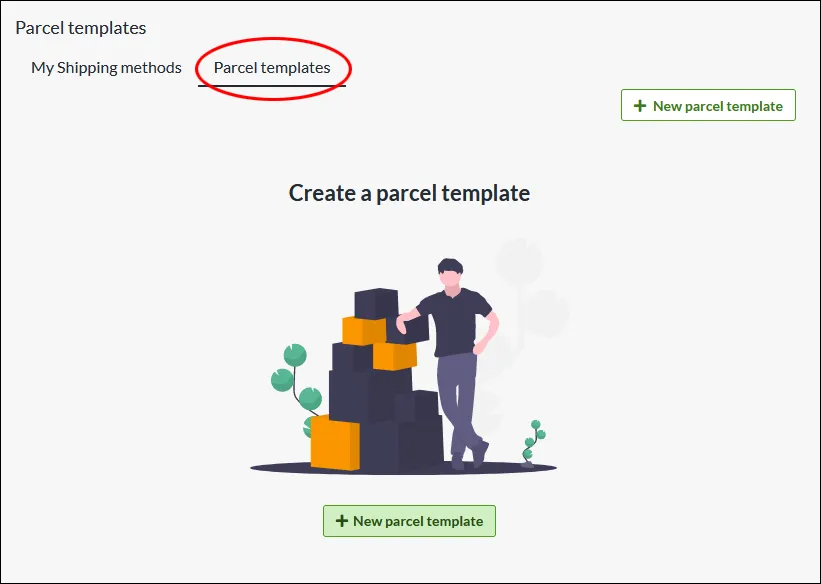
Create templates for the packaging with which you send your orders. Enter the weight and dimensions on the package template, which is then calculated into the total weight of the order.What is a parcel template? If you have different sizes of packaging that you send your orders in, you can create different templates for this which are then included in the total weight. Do I have to create parcel templates? Some integrations, like Shipmondo, require that you have a parcel template for the delivery methods. Otherwise, this is an optional feature to use. Create a parcel template Under Settings -> Shipping there is a tab at the top called "Parcel templates". Click on "New parcel template" NameChoose a descriptive name, this is only shown to administrators. WeightThe weight of the package, combined with the products, will be the total weight of the shipment. Type of packageSelect the type of package... DimensionsChose unit. Millimeter is default. In this example, we add "Standard carton" as name, the weight to 100 grams, type "Package", width 400mm, height 50mm and length 300 mm. Linking a parcel template to a delivery method On each shipping method there is a setting to select the parcel template. Go to Settings -> Shipping -> select a shipping method and click on the name to edit. In the right block “Settings”, at the bottom there is the setting for “Package template”. Select one of the templates you have created >> Save Then check the box “Include package weight for shipping fee calculation” >> SaveThe weight from the parcel template will now be added to the weight from the shopping basket and give the customer the shipping fee according to the weight-based shipping tariff.
-

Shipping management
28 Nov 2025
Smart shipping management that adjusts shipping costs depending on product and/or destination.
-

Third-party logistics-friendly (3PL)
28 Nov 2025
Focus more on sales and let your 3PL handle your warehousing, pick & pack and distribution
-

Digital products
28 Nov 2025
Sell files that your customers can download after completing a purchase. Of course, you can sell digital goods and products in your Abicart webshop. For example, services or downloadable files. An example of a customer of ours who sells digital products is eClassical who sells classical music in 24-bit studio quality. Other digital products can be art, videos or high-resolution images. A digital downloadable product is available to the customer immediately after purchase.10 digital products you can start selling todayFor more tips on digital products, read this article from Jennie at digitalentreprenher.se (who also sells digital products through her webshop in Abicart)Here you can read more about Jennie's course Starting your e-commerce