


2 min read
Bulky products

How does it work?
Many shops that sell online and have a physical store usually create a delivery method called "Pick up in store" and set it to handle bulky products. Then customers will only be able to choose to pick up the order on site.
Enable bulky on the products
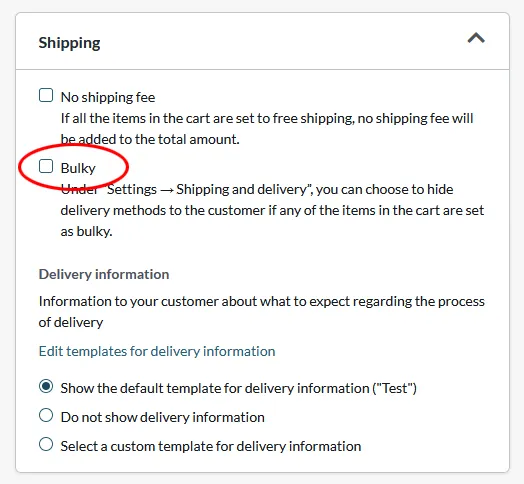
Go to Products -> select a product and edit.
Scroll down to the "Shipping" box in the right-hand column on the desktop. Check the box "Bulky" and don't forget to save.
Enable bulky products on delivery methods
Go to Settings -> Shipping -> select delivery method, edit.
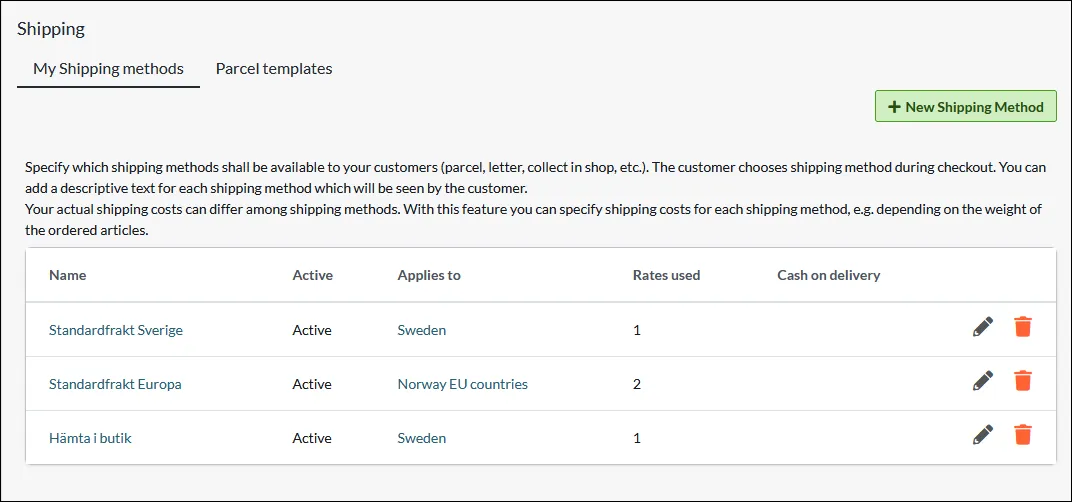
In the "Settings" box on the right, there is a drop-down list at "Bulky".
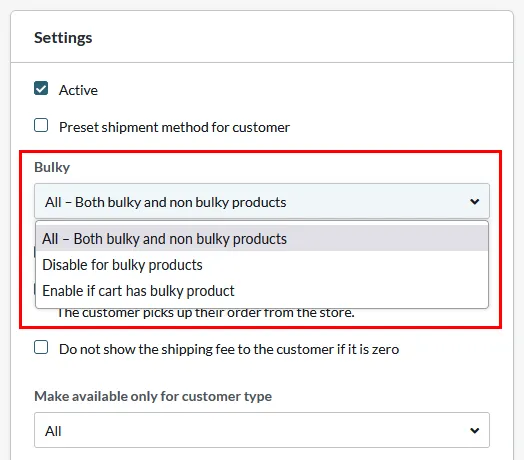
There are three settings:
- All - Both bulky and non bulky products
- Disable for bulky products
- Enable if cart has bulky product
The default setting is "All" and should be used if you have only one delivery method for all products.
For example, if you have two delivery methods, "Standard delivery" and "Pickup at store" and want bulky products to be handled only by "Pickup at store", you should set the following:
- Standarddelivery: "Disable for bulky products."
- Pickup at store: "All - Both bulky and non-bulky products"
In practice, it will work so that if you have a bulky product in the shopping cart, only "Pickup at store" will be visible in checkout. If you do not have a bulky product in the cart, both delivery methods will be visible.