


Checkout and payments
-
Market-specific payment and shipping methods
28 Nov 2025
Successfully expanding your e-commerce business into new markets requires offering local customers the payment and shipping options they know and trust. Abicart provides the flexibility to tailor your checkout experience to meet the precise needs of each country and customer segment.Customized Payment Experience With Abicart, you gain granular control over which payment methods are available based on the customer's location and preferred currency. This capability is essential for maximizing conversion rates in international sales. Per-Country Restriction: For every payment solution you implement, such as Stripe, Nets Easy, or various checkout providers like Klarna and Svea, you can specify the exact countries where it should be offered (or explicitly excluded). This ensures, for example, that country-specific payment options like Swish are only shown to customers in Sweden. Currency Control: If your shop supports multiple currencies, you can restrict a payment method to only be available when a specific currency is selected. This allows you to manage different payment provider agreements effectively. Multi-Channel Providers: Certain payment solutions (e.g., Klarna Checkout, Nets Easy, Svea Checkout) are flexible enough to be set up multiple times within your Abicart admin, using the same account keys but limiting each instance to a specific country and currency combination. This provides a clean, localized look in the checkout. By only presenting relevant payment choices, you reduce friction at checkout, increase trust, and improve the likelihood of a completed purchase. Flexible Shipping Configuration Delivery options are just as critical as payment methods. Abicart allows you to create detailed shipping methods and tariffs that adapt based on the final shipping destination. Country-Specific Tariffs: When you create a shipping method, you define tariffs (rates) that specify the cost based on weight ranges. You can then link these individual tariffs to specific countries, country blocks (like EU countries), or even specific postal codes. Integration with TMS: Integrations with Transport Management Systems (TMS) such as nShift, Postnord TA, or Shipmondo further enhance this capability by allowing for flexible rate calculation and label creation. For instance, Shipmondo supports the creation of shipping templates that factor in sender country, delivery country, weight ranges, and package dimensions. Advanced Delivery Options: For seamless local delivery point selection, services like Klarna Shipping Assistant (KSA) can display external TMS delivery options directly in the checkout window, complete with tracking and service point selection for customers in supported markets. Customizing your payment and shipping offerings is essential for international success. Abicart's platform offers the tools you need to ensure your store feels local to every customer, no matter where they are shopping from.
-
Scheduled campaigns and time-limited offers
28 Nov 2025
Maximize your sales and create excitement with precise control over pricing changes and promotions. Abicart provides advanced scheduling functionality that allows you to prepare price reductions, special offers, and limited-time campaigns days or weeks in advance, ensuring they go live and expire exactly when intended.Price List Scheduling for Sales The pricing system in Abicart utilizes multiple price lists, offering flexibility for managing your regular and extra prices. For time-limited sales events, such as a major holiday or a flash sale, you can leverage the scheduling tool: Prepare in Advance: Create a dedicated "Extra Price List" containing all the discounted prices for your upcoming campaign. Set the Activation Time: Under the Discounts > Scheduling section, you can select this new price list and set an exact start date and time for it to become active in your storefront. Automatic Reversion: For temporary sales, set a deactivation date and time. The system will automatically revert to your regular, previously active price list when the campaign ends, eliminating the need for manual late-night updates. Time-Limited Discounts Beyond price list changes, all discount types in Abicart—including fixed discounts, percentage discounts, "Buy X, Pay for Y" offers, and "Cheapest Product Free" campaigns—can be scheduled for specific periods. Start and End Dates: When creating a new discount, use the Scheduling settings to define a clear start date and an end date. The system activates the discount at the beginning of the start day (00:00) and ends it at the close of the end day (23:59). Event Countdown: For major promotions, the Event countdown block can be placed on your homepage to visually build anticipation by displaying a timer counting down to the campaign's start or end time. Text Banner: Use the customizable Text banner feature, which can be active on all pages, to highlight the time-sensitive offer, perhaps linking directly to the discounted product group. This comprehensive control over scheduling ensures your promotions are always executed flawlessly, providing a professional and consistent experience for your customers while freeing up your time during critical sales periods.
-

Advanced pricing: customer-specific, contract and tiered prices
28 Nov 2025
Abicart offers flexible and advanced pricing features that go beyond standard retail rates, allowing you to tailor your pricing strategy for maximum business control and customer conversion.Price Lists for Flexibility and Control The system utilizes price lists, giving you the power to prepare and manage various price changes in advance. Instead of manually updating individual product prices, you can manage an entire list and easily schedule its activation. You can link different price lists to various components of your shop: Base Pricing: Use lists for your regular prices, extra prices (special offers shown as discounts on the product page), and internal purchase prices. Customer-Specific Pricing: Assign unique price lists to individual customer groups, enabling you to offer customized prices to retailers, loyalty members, or B2B partners. This ensures that when a qualified customer logs in, they automatically see their correct, contracted prices. The ability to create and manage unlimited price lists (available in Plus and Pro subscriptions) allows you to confidently manage complex pricing scenarios, such as seasonal sales (like Black Friday) or specific wholesale agreements, without risking mistakes on your main product data. Price lists can be updated quickly and efficiently via manual entry, bulk actions on the product listing, or a streamlined text file import. Tiered Prices: Incentivize Volume To encourage customers to purchase larger quantities of a single product, you can implement tiered pricing. This feature allows you to set increasingly favorable unit prices as the ordered quantity increases. For example, a single item might cost $220, but buying three or more items reduces the unit price to $120. Once set, this price step functionality can be displayed on the product page to clearly communicate the savings to your customer, maximizing the incentive for a higher average order value. Through these advanced pricing options, Abicart provides the tools necessary to manage a versatile e-commerce business, whether you cater to B2C, B2B, or a mix of both, ensuring that your pricing always aligns with your business goals and customer segments.
-

Handling returns, complaints and refunds in admin
28 Nov 2025
Efficiently managing returns, complaints, and refunds is key to maintaining customer satisfaction and operational stability for your online shop. Abicart provides the tools within the admin interface to manage these processes smoothly, particularly when integrating with third-party payment solutions.Order Editing and Refunds The ability to handle returns and subsequent refunds is primarily facilitated through the order editing function, which is included in Abicart Plus and Pro subscriptions. If a customer returns a product or has a complaint leading to a refund, you can update the order directly in your Abicart admin. Partial Return/Refund: You can remove specific products from an order, and the stock balance will be adjusted automatically in Abicart. The order total is reduced, but generally, major changes (like increasing the total amount) are restricted, especially with third-party payment services. Full Cancellation/Return: To cancel an entire order and process a full refund, click the "Cancel" button on the order page. If the payment method supports it, a signal is sent to the payment service to cancel the order and trigger the refund. The stock balance is restored automatically. Manual Refunds for Third-Party Payments: For orders paid via a third-party service (like Klarna, Svea, Nets, etc.), if the cancellation signal fails, you might need to log in to the payment company's separate admin portal (e.g., Klarna Online) to manually process the credit/refund. You may also need to log in manually to refund the difference if you edit an order after it has been fully activated/charged, as increasing the order value is typically not permitted through the Abicart integration. By using the built-in order editing and cancellation features, you can ensure that product inventory is corrected and that the correct instructions are communicated to the relevant payment provider to handle the customer refund. Monitoring Stock and Communication When processing returns, your product stock levels are automatically reconciled when an item is removed from a placed order. This integration with stock management ensures product availability is kept accurate. For clear communication, always resend the order confirmation after editing an order to notify the customer of the changes and the updated order summary. It is important to check with your payment provider regarding their specific rules and procedures for handling refunds and cancellations, as Abicart's administration primarily transmits the instruction to the third-party service, which then executes the financial transaction.
-

Free shipping thresholds and product-specific shipping fees
28 Nov 2025
Abicart provides comprehensive flexibility in setting up your shipping costs, allowing you to create enticing offers for your customers while maintaining control over your logistics expenses. You can configure your delivery methods to seamlessly handle complex pricing scenarios, ultimately supporting increased conversion rates.Incentivize Purchases with Free Shipping Easily encourage larger orders by setting a free shipping threshold for a specific delivery method. You can define a minimum purchase amount—which includes shipping and other fees—above which the shipping cost is automatically waived for the customer. Customize Shipping for Individual Products For inventory that requires special handling, you can apply rules directly to individual products: Free Shipping per Product: You have the option to set specific products to always have free shipping. If a customer orders multiple items, some with and some without this setting, the regular shipping fee will still apply to the overall order. Handling Bulky Items: Products tagged as "bulky" can be managed separately from your standard offerings. By disabling standard delivery methods for bulky items, you can ensure that customers with large products in their cart are only presented with appropriate shipping options, such as "Pick up in store". Detailed Shipping Rate Configuration Beyond simple flat rates, you can implement dynamic shipping costs using flexible rate tables that integrate directly with geographical and weight data: Weight Ranges and Tariffs: Create customized shipping rates based on the total weight of the order in grams, allowing you to define different fees for specific weight intervals (e.g., 1-1000g, 1001-2000g, etc.). Country and Postcode Control: Apply these tariffs selectively by linking them to specific countries. For even greater control, you can restrict delivery methods to only apply to certain postal code areas, making local delivery services straightforward to set up.
-

Upselling and cross-selling in the checkout
28 Nov 2025
Maximize your average order value directly at the point of purchase by strategically presenting related and suggested products in the checkout process.Abicart supports a crucial e-commerce strategy known as upselling and cross-selling through its Related Products feature, which is included in the **Plus** and **Pro** subscriptions. This feature allows you to display highly relevant product recommendations to your customers, such as "Accessories" or "Others also bought," either at the bottom of the product page or when a product is added to the cart. By defining and configuring manually selected lists of related items, you ensure that customers are exposed to complementary products that enhance their purchase, boosting both conversion and sales volume directly through your existing traffic. The flexibility to define these relationships ensures every customer is presented with timely, relevant suggestions right when they are ready to complete their purchase.
-
Showing or hiding prices and buy buttons by customer group
28 Nov 2025
Abicart provides extensive flexibility for managing your product visibility and pricing based on different customer segments. This capability is essential for businesses operating in both B2C (Business-to-Consumer) and B2B (Business-to-Business) sectors, or for running exclusive customer clubs.By utilizing the Customer Groups feature, you gain granular control over what information customers see when they visit your shop. You can configure your store so that certain groups—such as non-logged-in visitors or wholesale accounts—experience a tailored display of products and prices. Key possibilities with Customer Groups: Restrict Product Visibility: You can choose to display all or only a selected part of your product assortment to a specific customer group. This allows you to create private catalogs exclusively for B2B partners or loyalty members. Implement Custom Pricing: Each customer group can be linked to its own unique price list. This means wholesale customers can see their negotiated prices, while general consumers see the standard retail price. The modern price list feature simplifies scheduling and bulk updates of custom prices. Hide Pricing and Purchase Options: For non-logged-in customers, particularly in a B2B model, you can enforce a login requirement to view prices and place orders. Furthermore, by leaving the price field empty in a price list linked to a specific group, the product becomes non-purchasable for that segment, effectively hiding the price and the buy button, and encouraging a "Request a Quote" interaction instead. This level of customization ensures that you can meet the unique needs of all your customer segments, offering an optimized and professional shopping experience for each one.
-

Custom payment methods and manual invoices
28 Nov 2025
Abicart offers flexibility in payment processing by allowing you to add your own custom payment methods, which can include managing invoices manually or integrating a pre-payment option.Invoicing on Your Own Terms For businesses that prefer to handle their own invoicing outside of a major checkout provider, Abicart offers a dedicated **"Your own invoice"** payment method. This payment option is designed for stores that generate and send invoices using their own financial or business management system, not within the shop itself. When setting up this method, you use the "Detailed description" field to clearly communicate to the buyer how to pay, including bank account or BankGiro details and applicable payment rules. It is a completely manual process on your end—Abicart does not automatically create or send the invoice. "Own Payment Method" for Full Customization Beyond a dedicated invoice option, you can add a generic **"Own payment method"**. This is ideal for any manual payment process, serving as a flexible tool for various custom arrangements. Similar to manual invoicing, you utilize the detailed description field to inform the customer of the necessary payment steps, such as bank transfer details. Key Configuration Features All custom and manual payment methods include comprehensive settings to ensure they fit seamlessly into your business operations: Visibility: You control whether the method is active and visible in the checkout. Customer Targeting: Define precisely which customer types (private or business) or specific customer groups can use the payment method. Order Restrictions: You can set limits to ensure the payment method is only offered if the order total falls within a specific monetary range. Fees and Description: Easily add a handling fee to the purchase or modify the name and provide a detailed description that explains how the method works. While managing payments yourself provides control, leveraging Abicart's integrations with full-service checkout solutions like Klarna or Svea may be a more convenient alternative, as they assume all credit and fraud risk and automate the invoicing process.
-

Supported payment methods: Kustom, Swish, Nets, Stripe and more
28 Nov 2025
A seamless checkout experience begins with offering your customers familiar and trusted payment methods. Abicart provides built-in support for a comprehensive range of leading payment solutions, ensuring high conversion rates and the flexibility needed to sell both domestically and internationally.Our platform integrates with popular checkout solutions and individual payment services, allowing you to select the precise combination that fits your business model. Available options include: Checkout Solutions: Integrate full checkout experiences from providers like **Kustom Checkout**, **Nets Easy**, **Svea Checkout**, **Swedbank Pay Checkout**, **Avarda Checkout**, and **Hygglig Checkout**. These solutions typically bundle several payment methods (such as invoice, installment, card, and direct bank payments) into a single, optimized flow, often assuming credit and fraud risk. Individual Payment Services: Implement specific payment methods like **Swish Commerce** (ideal for the Swedish market), various **Card Payment** providers (including **Stripe**, **Nets Netaxept**, **Certitrade**, and **Verifone**), **PayPal Checkout Express**, **PayEx card payment**, and **QuickBit Pay Checkout**. Whether you need a full-service checkout or direct card processing, Abicart makes activation straightforward. Once you have an agreement with your chosen provider, you simply enter the required API keys or credentials within the Abicart admin panel (under Settings > Payment Methods) and mark the service as active. Customizing Payment Availability You maintain control over how and where each method is displayed: Geographic and Currency Control: Easily restrict any payment method to specific countries and currencies to ensure compliance and a smooth international shopping experience. Customer Segmentation: Control access for different customer types, making methods available exclusively for private individuals or businesses. Order Total Limits: Set restrictions based on the total order value, allowing you to manage risk or tailor payment options to specific product ranges. By offering a broad portfolio of integrated, customizable payment options, Abicart helps you reduce cart abandonment and provide a professional, secure platform for your customers worldwide.
-

Guest checkout without account creation
28 Nov 2025
The option for a customer to complete a purchase without creating a registered account—known as guest checkout—is a critical feature for e-commerce stores targeting the consumer market (B2C). Abicart's platform is designed to provide this flexibility, catering to shoppers who prioritize speed and convenience over creating a persistent profile.The Value of Guest Checkout By default, Abicart is configured to allow customers to shop as a "guest" without requiring a mandatory login. This voluntary login approach delivers multiple sales-driving benefits: Higher Conversion Rates: Removing the forced requirement for registration eliminates a significant hurdle in the checkout funnel, thereby helping to boost conversion rates and lower cart abandonment, which is estimated to be over 35% when registration is mandatory. Speed and Convenience: Guest checkout requires only the basic information—such as contact, billing, and shipping details—making the transaction notably faster, especially for users on mobile devices or those with a slow internet connection. Appeals to New Buyers: Shoppers making their first purchase or those with low trust in a brand are often reluctant to share extensive personal data. Guest checkout provides a safe, low-commitment avenue to complete their transaction. Encourages Impulse Purchases: The simplified and rapid nature of the process facilitates impulse buying by quickly converting the decision to purchase into a completed sale. When to Consider Customer Login While guest checkout is ideal for maximizing B2C conversions, Abicart offers customer login for instances when a registered account provides necessary functionality or long-term value. This feature is particularly beneficial for: Business-to-Business (B2B) Sales: B2B models often necessitate accounts to manage customized product ranges, individual price lists, or special terms for retailers. Personalized Shopping Experience: Registered customers gain access to "My Pages," where they can track orders, save favorite products, create shopping lists, and receive a more tailored experience. Configuring Your Checkout The choice between enforcing or simply offering login is managed through your system settings: Voluntary Login (Guest Checkout Enabled): The recommended default setting is "No login required for full access to the store." Customers may register if they choose, but they are equally free to "shop as a guest". Mandatory Login (Guest Checkout Disabled): Choosing "Login required to view prices and place orders" locks the entire store behind a login form, meaning a customer must create an account or log in to view prices or purchase anything. This is usually only advisable for exclusive B2B environments. You have the flexibility to offer both, providing new customers with the convenient speed of a guest checkout and offering registration after purchase to convert them into repeat customers with saved details.
-

Express checkout: faster purchase flow
28 Nov 2025
A seamless and swift checkout is crucial for maximizing conversions and minimizing abandoned carts in e-commerce. Abicart's platform offers integrations with various express checkout solutions designed to streamline the purchasing process, transforming browsing into buying with minimal friction.Why Choose an Express Checkout? Express checkout fundamentally simplifies the customer journey by requiring fewer steps and reducing manual data entry. This approach offers significant advantages for your online shop: Increased Conversions: By removing barriers and shortening the process, customers are more likely to finalize their purchase, leading to higher conversion rates. Reduced Cart Abandonment: Lengthy, complicated forms are a primary cause of abandoned carts. Express checkout minimizes the time and effort required, encouraging customers to complete their transaction. Enhanced Customer Experience: Shoppers value speed and convenience. A smooth, hassle-free checkout experience contributes to customer satisfaction and encourages repeat business. Mobile Optimization: Express checkouts are particularly beneficial for mobile users, where entering details on a small screen can be cumbersome. They ensure a user-friendly experience across all devices. Features of Integrated Express Checkouts Abicart integrates with industry-leading payment solutions that function as modern, express checkouts, often incorporating key features to accelerate the flow: Pre-filled Information: These systems securely store customer data such as shipping addresses and payment details from previous transactions, enabling auto-fill functionality to skip data entry pages. Single- or Few-Step Process: The design condenses the checkout into one page or a minimal number of steps, eliminating the series of forms common in traditional checkouts. Multiple Payment Options: Checkout solutions typically include a comprehensive range of popular payment methods, such as invoice, partial payment, card payment, and Swish, within a single interface, catering to diverse customer preferences. Security and Trust: These checkouts integrate directly with secure payment gateways and often use established payment providers like Klarna Checkout V3, Nets Easy, Svea Checkout, and PayPal Checkout Express to ensure a secure transaction environment. By leveraging Abicart's partnerships with modern payment providers, you equip your store with a fast, secure, and user-friendly purchase flow that is optimized for today's customer expectations.
-
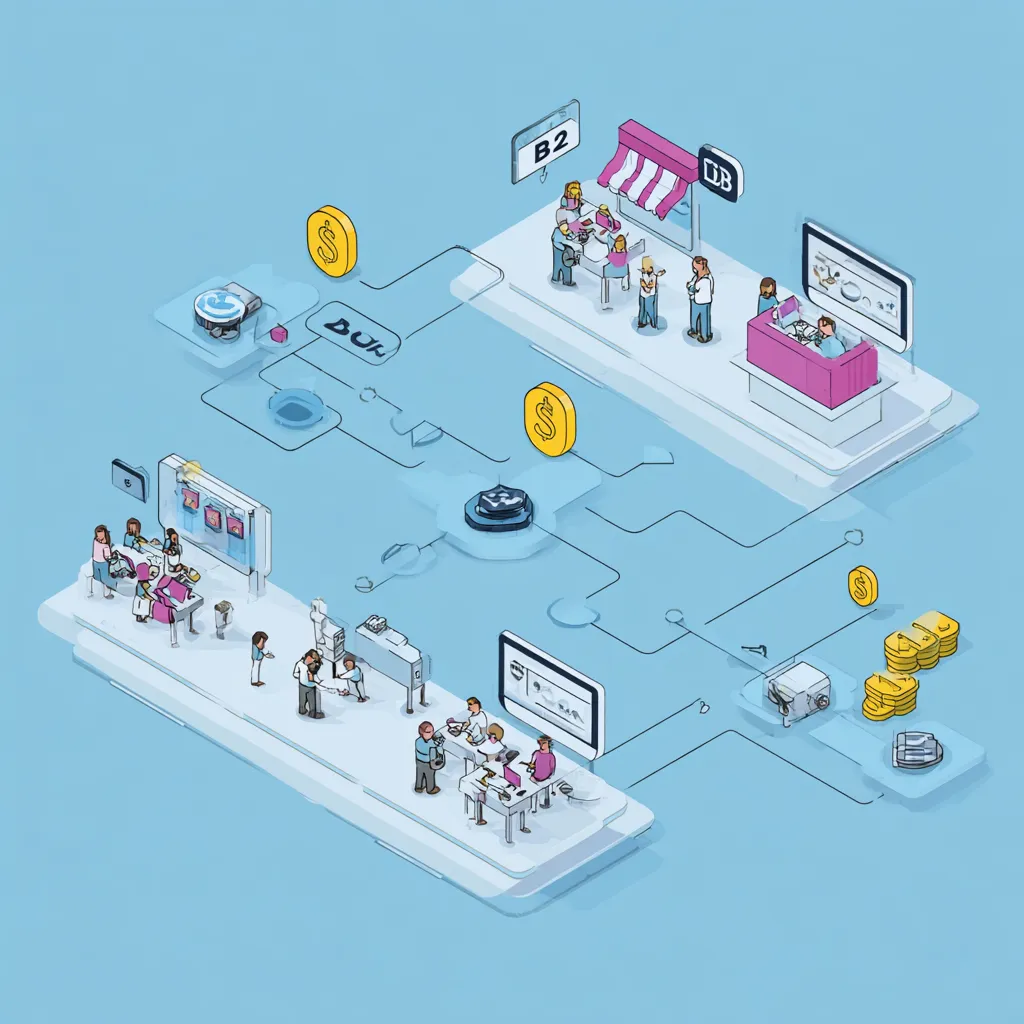
B2C and B2B sales flows in Abicart
28 Nov 2025
Abicart is engineered to empower your business whether you are selling directly to consumers (B2C) or exclusively to other businesses (B2B), or both simultaneously. Our platform is flexible, providing the right tools to create a tailored and efficient shopping experience for every customer segment.Customizing the Shopping Experience For successful e-commerce, it's essential to present the right information to the right audience. Abicart makes this seamless through powerful features like: Customer Groups: Easily segment your market by creating customer groups. This feature is invaluable for B2B sales, allowing you to: Set custom price lists for retailers or VIP members, providing tailored pricing. Control the product selection and range visibility, so certain products or groups are only displayed to specific logged-in customer groups. Manage payment and delivery methods available at checkout for each group. Customer Login: While B2C often benefits from a fast, "guest" checkout, B2B sales often require a verified login for accessing custom prices and restricted products. Abicart offers optional or mandatory login functionality to support different business models. Logged-in customers can also track orders and view their purchase history on "My Pages". Scaling with the Multi-Store System For businesses looking to fully separate their B2C and B2B operations while maintaining centralized control, the Multi-Store System (available in Abicart PRO) is the ultimate solution. Separate Storefronts: You can create entirely separate sub-stores—one dedicated to B2C and another for B2B—each with its own unique design, theme, and domain name. Centralized Management: Despite having separate storefronts, all products, customer data, and order management are handled from one central administration panel (the top level), greatly simplifying administration and updates. Flexible Assortment and Features: Each sub-store can select whether to use all or only a portion of the total product range, and choose which payment and delivery methods apply to its specific target group. By utilizing Abicart's flexible B2B and B2C tools, you can optimize your sales strategy, enhance customer retention through personalized shopping experiences, and ensure efficient, consolidated order management.
-

Automatic exchange rate updates via the European Central Bank
28 Nov 2025
When you run an e-commerce and multi-currency webshop, it's important to keep track of exchange rates. That's why we've built in an integration with the European Central Bank that keeps all the exchange rates in your webshop updated automatically. (You can of course set your own exchange rates if you want.) Read more about the ECB: Euro foreign exchange reference rates Read more about currencies in the manual
-

Customer login
28 Nov 2025
This is an article about the customer login feature available in Abicart Plus and Pro. If you have an account in Abicart and want to log in, do it here If you do not yet have an account in Abicart and want to try to start your own webshop, completely free, click here. Customer login in your webshop Your customers can create accounts for your webshop, get customized prices and discounts, create shopping lists, favorite products and keep track of their previous orders.Customer registers and customer login can be used both for private individuals who want an account in the online shop and if you sell B2B (business customers) and want to have a separate selection of the range or your own price lists for these customers.
-
Gift card
28 Nov 2025
Sell digital gift cards that can be used to shop in your online store.With Abicart, you can easily offer digital gift cards that are delivered automatically by email. A perfect way to boost sales, attract new customers, and make it easy for shoppers to give a appreciated gift that can be used immediately in your online store.
-
Discount system
28 Nov 2025
Discounts based on customer group, time periods or discount codes.
-
Shipping management
28 Nov 2025
Smart shipping management that adjusts shipping costs depending on product and/or destination.
-

Abandoned Cart Reminders for Your E-Commerce Store
28 Nov 2025
Remind your customers if they left a shopping cart in the store.Read more about Abandoned cart in the manual.
-

Digital products
28 Nov 2025
Sell files that your customers can download after completing a purchase. Of course, you can sell digital goods and products in your Abicart webshop. For example, services or downloadable files. An example of a customer of ours who sells digital products is eClassical who sells classical music in 24-bit studio quality. Other digital products can be art, videos or high-resolution images. A digital downloadable product is available to the customer immediately after purchase.10 digital products you can start selling todayFor more tips on digital products, read this article from Jennie at digitalentreprenher.se (who also sells digital products through her webshop in Abicart)Here you can read more about Jennie's course Starting your e-commerce
-
Product variants / customer choice
28 Nov 2025
Optional product variants such as color, size and material with the possibility of a price increase or decrease for your different variants.
-

SSL (Secure Sockets Layer) makes your webshop secure
28 Nov 2025
Use ssl (https) on your domain. Safe for you and your customers. It also increases your chances of ranking higher on Google. In all versions of Abicart we support encrypted and secure web pages with SSL (https://) Read more about domains in the manualSSL certificateIt is important that your customers are safe and secure when shopping in your webshop. That's why all versions of Abicart have built-in support for SSL (Secure Sockets Layer). The latest version of SSL is called TLS (Transport Layer Security).This is a security standard that is used on websites all over the world. When you run an e-commerce and webshop, you are handling some sensitive data that is important to protect. By using SSL (or TLS), all information sent between the server and the user is encrypted, which means that it cannot be intercepted or changed by anyone else.HTTP and HTTPS?All Abicart web shops use HTTPS. HTTP (Hypertext Transfer Protocol) is a protocol (a kind of language between computers) used to transfer data between the user and the web server. With the addition of SSL over HTTP, the security protocol HTTPS (Hypertext Transfer Protocol Secure) is used, which is now standard in the vast majority of web shops and websites.
-

Multiple currencies in your webshop
28 Nov 2025
Sell worldwide and charge in any currency you want. As natural as having multi-language support in your webshop, it's just as natural to be able to charge in different currencies. Multi-currency support is available in all versions of Abicart. And with the automatic exchange rates from the European Central Bank, you can always keep your exchange rates up to date. Read more about currencies in the manualCurrently we support the following currencies in Abicart:AUD: Australian Dollar THB: Baht BRL: Brazilian Real BGN: Bulgarian LEV CAD: Canadian Dollar CZK: Czech Koruna DKK: Danish Krone EUR: Euro HUF: Forint HKD: Hong Kong Dollar ISK: Iceland Krona INR: Indian Rupee IRR: Iranian Rial HRK: Kuna MGA: Malagasy Ariary MYR: Malaysian Ringgit MZN: Malaysian Ringgit MZN: Metical MXN: Mexican Peso ILS: New Israeli Sheqel TWD: New Taiwan Dollar NZD: New Zealand Dollar NOK: Norwegian Krone PHP: Philippine Peso GBP: Pound Sterling ZAR: Rand IDR: Rupiah RUB: Russian Ruble SGD: Singapore Dollar LKR: Sri Lanka Rupee CHF: Swiss Franc TRY: Turkish Lira USD: US Dollar KRW: Won JPY: Yen CNY: Yuan Renminbi PLN: Polish Zloty RGB: Russian Ruble
-
No transaction fees
28 Nov 2025
You only pay for your chosen shop package. Abicart does not charge any transaction fees. (Transaction fees for payment solutions may apply, depending on which ones you choose) Read more about versions and prices
-

Unlimited number of orders
28 Nov 2025
What are orders? The "Orders" section contains all orders placed in the shop. You can sort, manage, shred and export ... When you use Abicart as an e-commerce platform for your webshop, there is no limit to the number of orders you can receive. With us, you are also exempt from transaction fees, which is quite common in other platforms. Your customers' orders are listed in the admin as well as emailed to the email of your choice. Read more about orders in the manualWhat does unlimited orders mean?With Abicart as your e-commerce platform for your webshop, you will be able to handle an unlimited number of orders. This means that you can receive and manage any number of orders without any limitations. Plus, you don't have to pay transaction fees that are often charged by other e-commerce platforms.Your customers' orders are listed in the admin panel and also sent to an optional email address for easy and smooth management.User-friendly management of orders in your webshop with AbicartAbicart offers a clear and user-friendly overview of all orders placed in your webshop. You can easily sort, manage, cancel and export orders, giving you full control over your e-commerce.Read more about orders in the manualFor more information and details on managing orders in your Abicart webshop, visit our manual where you will find everything you need to manage your orders efficiently.Read more about orders in the manualhttps://www.abicart.com/explore-abicart/manual/orders/orders