


Customer Service and Support
-
How to Contact Abicart Customer Service
27 Aug 2026
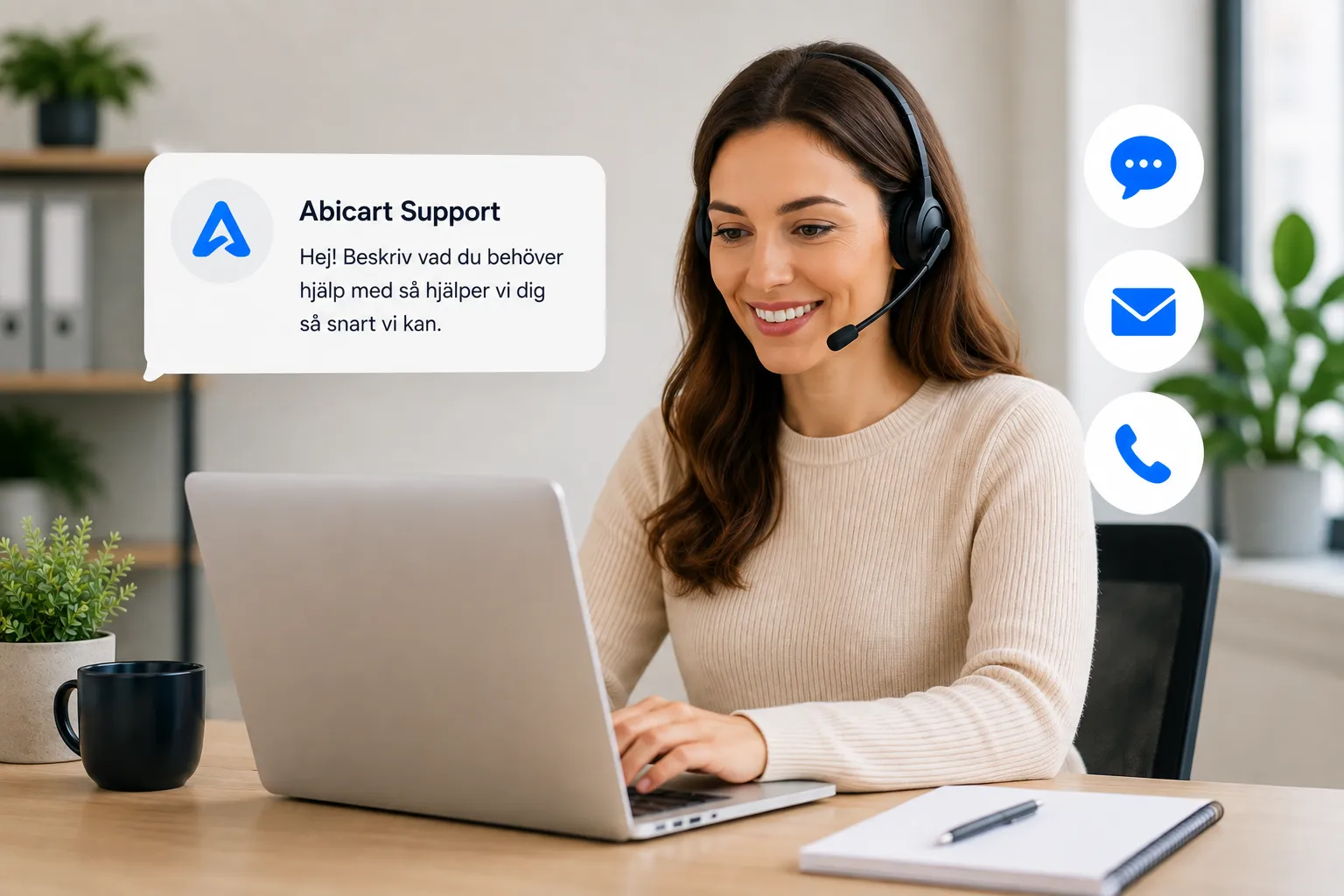
The easiest and fastest way to get help is to start a chat directly in Abicart Admin. There, our AI assistant can help you with common questions and prepare your request for our support team if you need further assistance. You can also contact us by email or phone.Chat with us via Abicart Admin Once you’re logged in to Abicart Admin, you’ll find “Ask a Question” in the lower right corner. Start the chat and describe what you need help with. Our AI assistant will first try to help you right away. Many common questions can be answered immediately, which means you won’t have to wait for a response from the support team. If the AI assistant can’t resolve your issue, it will help gather relevant information and create a support ticket. Our support team will then follow up on the ticket as soon as possible. Tip: Please describe the problem as clearly as possible and include, for example, your order number, item number, or error messages when relevant. This helps us handle your request more quickly. Other Ways to Contact Us As a customer, you can also email or call customer service. You can always find contact information and current business hours under "My Customer Service" in Abicart Admin. Remember to describe your issue as clearly as possible, and feel free to include relevant examples or screenshots. When you contact us, we’ll first help you describe your issue. If the issue requires further handling, we’ll ensure our support team can follow up on it. You can also contact us via the form: https://www.abicart.com/sv/kontakta-oss
-
Phishing emails that claim to be from Abicart
27 Aug 2026
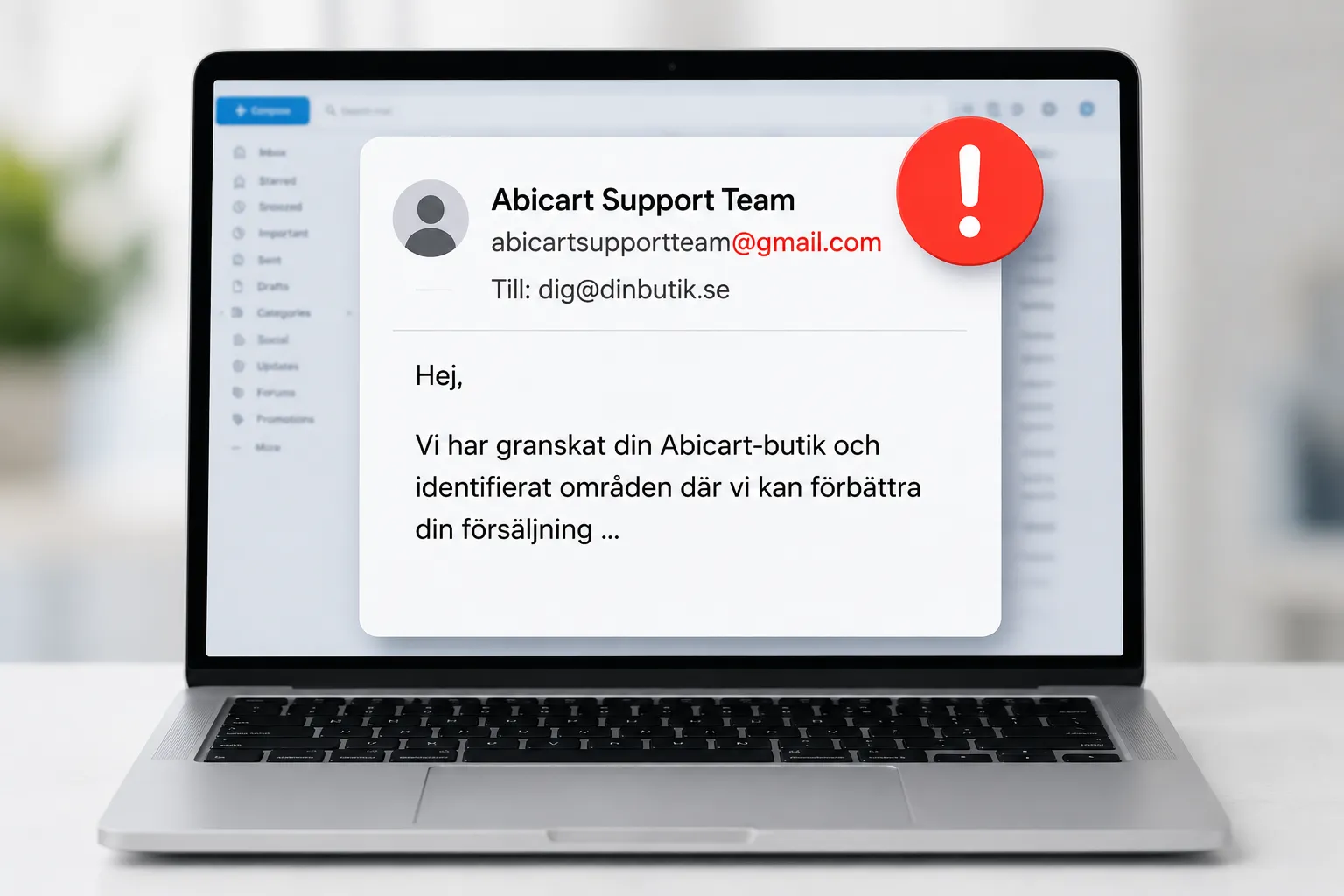
There have been instances of fraudulent emails in which the sender claims to represent Abicart. Therefore, please be on the lookout for unexpected emails that claim to be from us, especially if the sender is using a Gmail address or another email address that does not belong to Abicart.If you receive an email purporting to be from Abicart and are unsure whether it is genuine, you should always check the sender’s email address before taking any action based on the content. Our primary email address is hello@abicart.se. In rare cases, emails may come from other addresses, but the domain is always abicart.se. Be especially cautious if the email: comes from a Gmail address or another unexpected email address contains offers or services you haven’t requested urges you to click on unknown links or open attachments asks you to provide a password, payment information, or other sensitive information claims to be from Abicart but the sender’s address doesn’t appear to be associated with us (i.e., doesn’t come from abicart.se) Do not reply to a suspicious email, and do not click on any links or open any attachments. Never disclose your password or other sensitive information. Please mark the message as spam or phishing in your email program. Not sure? If you’re unsure whether an email is really from Abicart, contact Abicart Support through our official support channels instead of replying to the suspicious email. We’d be happy to help you verify whether the message is from us.
-
Two-Factor Authentication (2FA)
14 Aug 2026
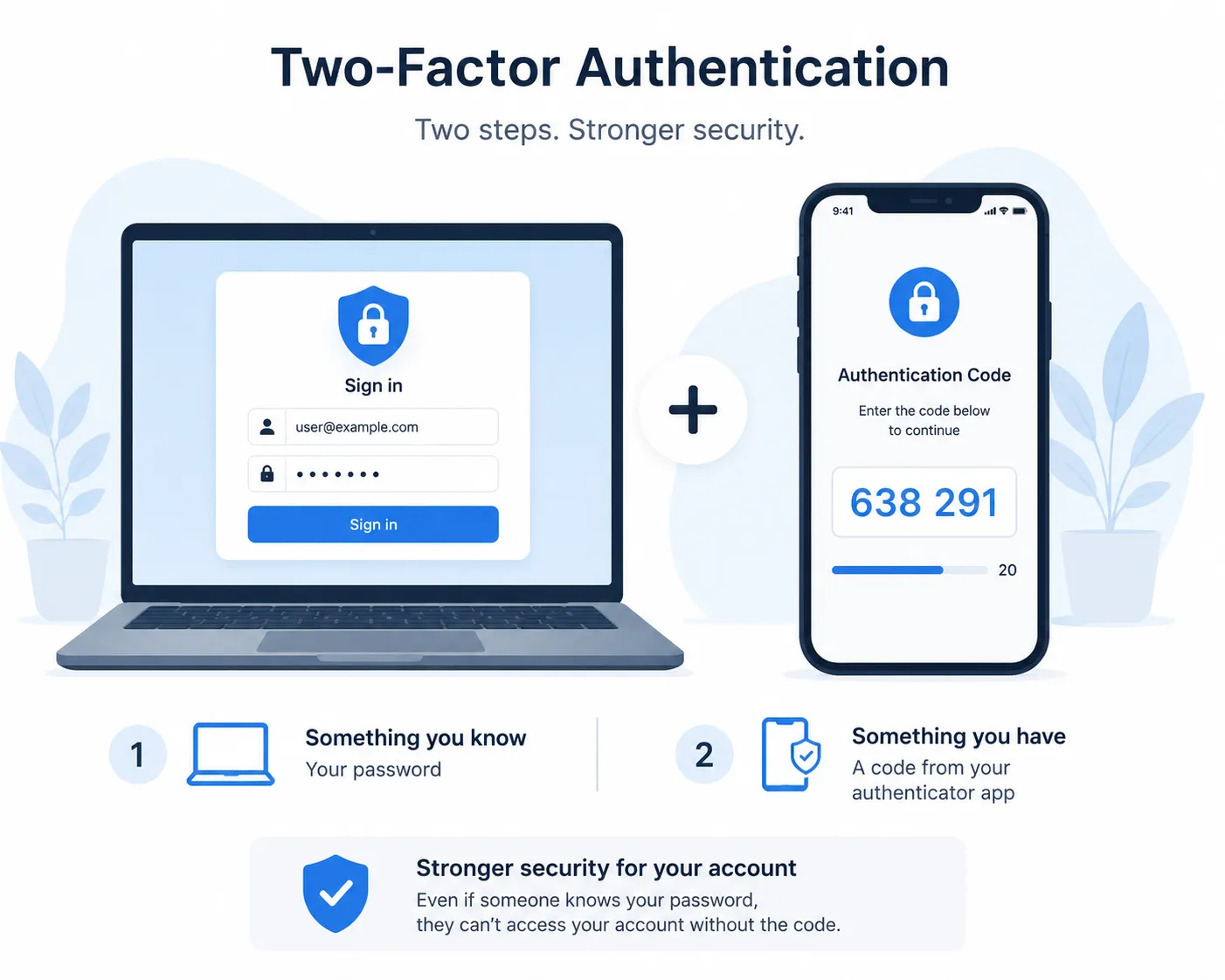
Abicart Admin · Account Security Set up two-factor authentication (2FA) Two-factor authentication (2FA) adds an extra layer of security to your Abicart admin login. Normally, you sign in with your username and password. With 2FA turned on, you'll also enter a one-time 6-digit code from an authenticator app on your phone. This means that even if someone gets hold of your password, they still can't sign in without the code from your authenticator app. Setup time About 2 minutes Cost Included, free Works with Any standard authenticator app Protects Your admin login only On this page Why turn this on Before you start Setting it up Signing in afterwards Recovery codes Turning it off Benefits & limitations Questions Why turn this on Passwords leak. They get reused across sites, guessed, phished, or picked up in a breach that has nothing to do with Abicart. Two-factor authentication means a leaked or guessed password isn't enough on its own: the person signing in also has to produce a six-digit code that refreshes every 30 seconds on your phone. If you manage payments, customer data, or store settings from your admin account, 2FA adds important protection if your password is ever compromised. Before you start You'll need: A phone with an authenticator app installed, such as Google Authenticator, Microsoft Authenticator, Authy, 1Password, or Bitwarden. Any standard authenticator app works Your current Abicart username and password. Setting it up Go to My Profile in your admin menu, then find the field Security. 1 Click Enable 2FA A setup window opens with a QR code generated just for you. 2 Scan the QR code Open your authenticator app and add a new account by scanning the code on screen. Can't scan it, for example because you're on the same device as the camera you'd need? Click Show text key to reveal a text code you can type into the app by hand instead. 3 Enter the 6-digit code from your app Your app will now be showing a rotating 6-digit number. Type the current one into the setup window and click Verify & Activate. This confirms your authenticator app is set up correctly. 4 Save your recovery codes Once activated, Abicart shows you eight recovery codes. Copy them somewhere safe. A password manager or a printed note in a locked drawer both work well. These are your only way in if you ever lose your phone. 5 Tick I have saved these codes and close The close button stays disabled until you confirm you've stored the codes. Once you close this window, the codes won't appear automatically again, but you can still view your remaining codes later from the same Security card. Signing in afterwards Regardless of which sign-in method you choose, you won't be fully signed in until your password or email sign-in link has been verified. You'll land on a page asking for Authentication Code. Enter the current number from your app and click Verify. You have 15 minutes. If you don't finish entering your code within 15 minutes of your password check, the verification page expires and you're sent back to start the login again. Recovery codes Recovery codes are your backup plan for a lost, stolen, or wiped phone. You get eight when you first activate 2FA, and each one works exactly once. Using one to sign in On the verification screen, click I lost my device / Use recovery code. The code field switches to accept a recovery code instead of an app code. Enter one of your saved codes and it's consumed. That same code won't work a second time. Viewing your remaining codes Go back to My Profile → Security at any time and click View Recovery Codes to see the codes you have left. Because you can view your recovery codes here, make sure you keep your Abicart login secure. Running low? There's no button to top up your remaining codes on their own. If you're down to one or two, turn 2FA off and back on to generate a fresh set of eight. Turning it off From My Profile → Security, click Disable 2FA. You'll be asked to confirm your current password before it switches off. This stops someone who's merely sitting at your already-open session from quietly disabling your protection. Benefits & limitations An honest look at what this feature gives you, and where it still has room to grow. Benefits ✓Blocks logins from a leaked, reused, or guessed password: the attacker still needs your phone. ✓Works with authenticator apps you may already have installed; no new app to buy or learn. ✓No SMS involved, so there's nothing to intercept and no text message costs. ✓Covers both ways of logging in: password, and the passwordless "Quick login" email link. ✓Recovery codes mean a lost phone doesn't mean a lost account. ✓Free, and takes about two minutes to turn on. ✓Your 2FA details are encrypted before they're stored, not kept as plain text. Limitations to know about –No "remember this device" option yet: you'll enter a code every time you log in, even on your own computer. –If you lose your phone and your recovery codes, there's no in-product recovery path. You'll need to contact Abicart support to have 2FA reset on your account. –Each admin turns 2FA on for their own login individually; there's no shop-wide setting yet for an owner to require it for staff accounts. –Codes depend on your phone's clock being accurate. If your phone's date and time have drifted, valid codes may be rejected. –Doesn't apply to your shop's storefront, only to the admin login your staff use to manage the store. Questions Which authenticator apps can I use? Any app that supports TOTP (the standard behind most authenticator apps) works: Google Authenticator, Microsoft Authenticator, Authy, 1Password, Bitwarden, and most password managers with a built-in authenticator. Can I add the same account to more than one device? Yes. During setup, you can scan the same QR code (or type the same text key) into an app on a second phone or tablet, so you have a backup code generator. Abicart doesn't need to know about this; it's a property of how the underlying code standard works. My code keeps getting rejected. What's wrong? The most common cause is your phone's clock being out of sync, since codes are time-based and only valid for about 30 seconds. Check that your phone's date and time are set automatically, then try the next code that appears. I lost my phone and can't find my recovery codes. What now? Contact Abicart support through your usual channel. They'll verify your identity and reset 2FA on your account so you can log back in and, if you'd like, set it up again on a new device. Does this affect my shop's customers at checkout? No. This protects the admin login your staff and owners use to manage the store. It has no effect on how shoppers create accounts or check out on your storefront. Can I make 2FA mandatory for my staff? Not yet. Each person with an admin login enables 2FA for their own account from their own My Profile page. There's currently no owner-level setting that enforces it across every staff login. Locked out? If you can't get in and don't have a working recovery code, email hello@abicart.se rather than repeatedly guessing codes.
-

Single sign-on (SSO) capability for customers. SAML or Oath2. (Additional service)
28 Nov 2025
Let your customers log in to your store with single sign-on (SSO) via SAML or Oath2.Additional service in Abicart Pro, 799 SEK/monthEasy and secure logins with Single Sign-On in Abicart Abicart strives to improve the customer experience for both businesses and consumers by offering innovative solutions and services. One of these services is the ability to offer Single Sign-On (SSO) via SAML or Oath2. This is an additional service for Abicart Pro customers, which aims to simplify and secure the login for customers. Read on to understand how SSO can improve your e-commerce platform.What is Single Sign-On (SSO)?Single Sign-On (SSO ) is an authentication process that allows users to log in to multiple related but independent software applications with a single login. This means that customers do not have to remember multiple usernames and passwords for different platforms, providing a smoother and more user-friendly experience.SSO via SAML or Oath2:Abicart offers SSO integration via two popular and secure standards: SAML (Security Assertion Markup Language) and OAuth2 (Open Authorization 2.0). Both standards enable secure and reliable authentication between your e-commerce platform and third-party services. Benefits of SSO for your e-commerce platform: Improved user experience: by offering SSO, your customers can easily and quickly log in to your platform without having to remember additional usernames and passwords. Increased security: SSO reduces the risk of security issues such as password theft and phishing attacks. Reduced administrative burden: With SSO, you don't need to manage and store multiple login credentials for your customers, reducing your administrative burden and improving data security. Cost and how to activate the service:The SSO service is available as an add-on service for Abicart Pro customers for 799 SEK/month. If you are interested in knowing more or activating the SSO service for your e-commerce platform, please contact us.By offering Single Sign-On (SSO) via SAML or Oath2, you can improve the customer experience, increase security and reduce administrative burdens for your e-commerce platform. If you are an Abicart Pro customer and want to take advantage of these benefits, do not hesitate to contact Abicart customer service to activate the service.