


Customers and loyalty
-

Customer reviews for your store with Trustpilot and Lipscore
28 Nov 2025
Authentic customer feedback is critical for building trust and driving sales in e-commerce. Abicart provides built-in support for seamlessly integrating with two of the leading review platforms: Trustpilot, Yotpo, Lipscore.Collect Reviews Automatically By connecting your Abicart shop, you enable the Automatic Feedback Service (AFS) offered by these platforms. Your order data is securely exported to Trustpilot or Yotpo, which then takes over the process of sending automated review requests to your customers after a purchase. This ensures timely collection of fresh feedback without manual effort on your part. **Trustpilot** requires a standard package plus their product review add-on, and mandates that products have an SKU or product number for functionality. **Yotpo** can be used with their free version and also requires all products to have a valid product number (using only letters, digits, hyphens, and underscores, avoiding special characters or spaces). Showcase Trust and Increase Conversion Once reviews are collected, displaying them prominently helps convert visitors into buyers. Abicart allows you to integrate a **Product Reviews Widget** into the bottom of your product pages. By leveraging these platforms, you can: **Display Social Proof:** Showcase star ratings and detailed customer experiences directly below your product descriptions. **Enhance SEO:** Reviews provide fresh, relevant, user-generated content for your pages, helping search engines understand and rank your products more effectively. **Build Confidence:** Genuine reviews act as a powerful form of social validation, making potential customers feel more secure in their purchasing decision. To activate product reviews, simply navigate to your theme's settings in the Abicart admin and select the desired platform (Trustpilot or Yotpo) for the Product Reviews Widget. You will then enter the specific ID or Key provided by the review service to complete the setup.
-

Newsletter subscription forms in your store
28 Nov 2025
Keep your customers engaged and drive repeat business by collecting email addresses directly in your webshop.Abicart offers built-in tools for newsletter management as well as integrations with external services like Mailchimp, giving you flexible options for email marketing: Built-in Newsletter Feature (Abicart Plus and Pro) Functionality: You can create and send newsletters directly from the Abicart admin panel, managing your mailing list within the platform. Subscriber Management: Customers in the customer register who have agreed to receive newsletters can be targeted. Subscription Block: A dedicated block to encourage newsletter sign-ups can be added to your homepage. Once a visitor registers, their email is added to the customer register. Sending Limits: The built-in service has a limit of 2,000 emails per day. For larger lists, the mailing is automatically split over multiple days. Mailchimp Integration (Abicart Plus and Pro) Seamless Connection: Abicart offers a direct integration with Mailchimp, a leading external newsletter service. Data Synchronization: The integration automatically exports your customer list, product catalog, and order information to Mailchimp. This ensures your Mailchimp account is always up-to-date for targeted campaigns. Frontend Forms: You can easily embed Mailchimp's custom signup forms into blocks on your homepage or other custom pages for enhanced subscription functionality. Benefits: This option is ideal for those requiring advanced segmentation, reporting, and high-volume sending capabilities beyond the Abicart native limits. To maximize your reach, remember to explicitly enable the display of the newsletter field in your theme's settings under "Extensions" or "Content" for the relevant page areas.
-

Customer loyalty programme and points system
28 Nov 2025
-

Advanced pricing: customer-specific, contract and tiered prices
28 Nov 2025
Abicart offers flexible and advanced pricing features that go beyond standard retail rates, allowing you to tailor your pricing strategy for maximum business control and customer conversion.Price Lists for Flexibility and Control The system utilizes price lists, giving you the power to prepare and manage various price changes in advance. Instead of manually updating individual product prices, you can manage an entire list and easily schedule its activation. You can link different price lists to various components of your shop: Base Pricing: Use lists for your regular prices, extra prices (special offers shown as discounts on the product page), and internal purchase prices. Customer-Specific Pricing: Assign unique price lists to individual customer groups, enabling you to offer customized prices to retailers, loyalty members, or B2B partners. This ensures that when a qualified customer logs in, they automatically see their correct, contracted prices. The ability to create and manage unlimited price lists (available in Plus and Pro subscriptions) allows you to confidently manage complex pricing scenarios, such as seasonal sales (like Black Friday) or specific wholesale agreements, without risking mistakes on your main product data. Price lists can be updated quickly and efficiently via manual entry, bulk actions on the product listing, or a streamlined text file import. Tiered Prices: Incentivize Volume To encourage customers to purchase larger quantities of a single product, you can implement tiered pricing. This feature allows you to set increasingly favorable unit prices as the ordered quantity increases. For example, a single item might cost $220, but buying three or more items reduces the unit price to $120. Once set, this price step functionality can be displayed on the product page to clearly communicate the savings to your customer, maximizing the incentive for a higher average order value. Through these advanced pricing options, Abicart provides the tools necessary to manage a versatile e-commerce business, whether you cater to B2C, B2B, or a mix of both, ensuring that your pricing always aligns with your business goals and customer segments.
-

Customer groups and segmentation
28 Nov 2025
Abicart's customer group feature offers a powerful way to organize your customer base and tailor the shopping experience to different segments, which is particularly valuable for businesses operating in both B2C and B2B markets.By leveraging customer groups, you can easily implement customized strategies that cater to specific needs, ensuring maximum relevance and conversion for each customer type. Key Capabilities with Customer Groups Customized Product Assortment: You can select which products are displayed to logged-in customers belonging to a specific group, allowing you to create restricted or specialized product ranges, such as a dedicated catalog for wholesale clients or B2B customers. Unique Pricing and Price Lists: The system allows you to link different price lists to specific customer groups. This is essential for maintaining distinct pricing structures for retailers, wholesalers, or preferred partners compared to standard private customers. Tailored Payment Methods: Control which payment options are available at checkout for each group. For instance, you might enable "Invoice" or other business-centric payment methods only for your approved corporate clients, while keeping standard options for the public. Targeted Discounts and Promotions: Discounts can be restricted to specific customer groups, enabling you to run exclusive promotions, loyalty programs, or trade-specific sales without exposing them to all visitors. Controlled Access: For B2B or members-only shops, you can require customers to log in to view prices or place orders, keeping your trade-exclusive information private. You can also manage new customer registration, either allowing automatic sign-up into a default group or requiring manual approval by an administrator. This flexible segmentation ensures that every customer receives an experience relevant to their status, which is a vital component for building long-term business relationships and maximizing the potential of both your B2C and B2B channels.
-
Order confirmation emails
28 Nov 2025
An order confirmation is more than just a receipt; it is an important customer touchpoint that reinforces trust and professionalism. Abicart's platform provides tools to customize the content of order confirmations and other email communications sent to your customers.Customizing Email Content Under Settings > [cite_start]Document and Email Content, you can access the Email Content tab to tailor your communications[cite: 780, 781]. [cite_start] Order Confirmations: Select which specific properties and details you want to display on the customer’s order confirmation[cite: 781]. [cite_start]You can also add a custom text for important notices or thank you messages to be included in the email[cite: 781]. [cite_start] Receipts: Customize the properties shown on the customer's receipt, including adding your own supplementary text[cite: 782]. Delivery Confirmations: Activate automatic delivery confirmations. [cite_start]When an order is marked as sent in your admin, an email will be dispatched to the customer[cite: 782, 1047, 1406]. [cite_start]This confirmation can be especially valuable if you include the tracking number for package traceability[cite: 242, 243, 1410]. Delivery and Tracking Information Providing immediate tracking information is key to customer satisfaction. When an order is exported for automatic freight booking (e.g., via integration with Postnord or nShift), the tracking number is sent back to Abicart. [cite_start]When you subsequently mark the order as "sent," the tracking number can be automatically included in the delivery confirmation email (if activated)[cite: 242, 1410, 1450]. [cite_start]Even if you book transportation manually, you can enter the carrier and tracking number on the order page in the admin, and this information will be shared with the customer via their customer login on "My Pages"[cite: 241, 244, 246, 248]. [cite_start]You can guide the customer to log in to their account to find the "Track shipment" link[cite: 246, 247, 248]. Secure and Reliable Sending Abicart employs specific measures to ensure your order confirmations reach their destination reliably and are not flagged as spam: [cite_start] Return Address: By default, order confirmation copies sent to the store owner use a specialized return address (shop-orders@abicart.se) to minimize spam risks[cite: 786]. Sender Authentication: To bolster email deliverability and legitimacy, you can create and add an SPF (Sender Policy Framework) record in your DNS configuration. [cite_start]This explicitly authorizes Abicart to send emails on your behalf, reducing the chance of them being flagged as spam or phishing[cite: 795, 796, 805, 806]. [cite_start]For enhanced control, especially in multi-store systems, the language of the printouts, like picking lists and delivery notes, can be set to either the administrator's language or the customer's language used when placing the order[cite: 783, 784].
-

Customer registry and customer profiles
28 Nov 2025
The Customer Registry feature in Abicart Plus and Pro subscriptions is an invaluable tool for managing your customer relationships and enhancing the shopping experience.The Customer Registry: Your Central Hub While all customer details are saved on individual orders, the Customer Registry acts as a central hub for managing logged-in customers. It provides a straightforward overview, allowing you to: View Past Orders: Easily access a customer's complete purchase history. Manage Tracking Information: Logged-in customers can track their orders directly on "My Pages" if the order has a carrier and tracking number. Export Data: Export the entire customer list to a file for use in other systems or for analysis. Manage Consents: Keep track of which customers have consented to receive your newsletter. Customer Login and Personalization Enabling customer login, which is available in Abicart Plus and Pro, offers a more personalized experience: My Pages: Logged-in customers gain access to their own "My Pages," where they can review past orders and track shipments. Voluntary or Mandatory Login: You can choose to make login optional for most customers or mandatory for full store access. For business-to-business (B2B) shops that need to restrict the product range and pricing, mandatory login is a key benefit. Customer Segmentation: Link customers to specific Customer Groups to give them access to customized product ranges, tailored price lists, and unique payment methods. This is perfect for managing B2B clients, VIP programs, or different market segments. Managing New Customers The platform offers flexibility in how new customer accounts are created: Self-Registration: Customers can register their own accounts through an open process. Administrator Creation: For B2B sales or controlled access, you can close self-registration and instead create accounts manually for customers after they've submitted necessary details via a contact form. The Customer Registry simplifies your administrative tasks while giving you the tools to create highly segmented and personalized shopping experiences, ultimately helping to build long-lasting customer relationships.
-
Showing or hiding prices and buy buttons by customer group
28 Nov 2025
Abicart provides extensive flexibility for managing your product visibility and pricing based on different customer segments. This capability is essential for businesses operating in both B2C (Business-to-Consumer) and B2B (Business-to-Business) sectors, or for running exclusive customer clubs.By utilizing the Customer Groups feature, you gain granular control over what information customers see when they visit your shop. You can configure your store so that certain groups—such as non-logged-in visitors or wholesale accounts—experience a tailored display of products and prices. Key possibilities with Customer Groups: Restrict Product Visibility: You can choose to display all or only a selected part of your product assortment to a specific customer group. This allows you to create private catalogs exclusively for B2B partners or loyalty members. Implement Custom Pricing: Each customer group can be linked to its own unique price list. This means wholesale customers can see their negotiated prices, while general consumers see the standard retail price. The modern price list feature simplifies scheduling and bulk updates of custom prices. Hide Pricing and Purchase Options: For non-logged-in customers, particularly in a B2B model, you can enforce a login requirement to view prices and place orders. Furthermore, by leaving the price field empty in a price list linked to a specific group, the product becomes non-purchasable for that segment, effectively hiding the price and the buy button, and encouraging a "Request a Quote" interaction instead. This level of customization ensures that you can meet the unique needs of all your customer segments, offering an optimized and professional shopping experience for each one.
-
B2C and B2B sales flows in Abicart
28 Nov 2025
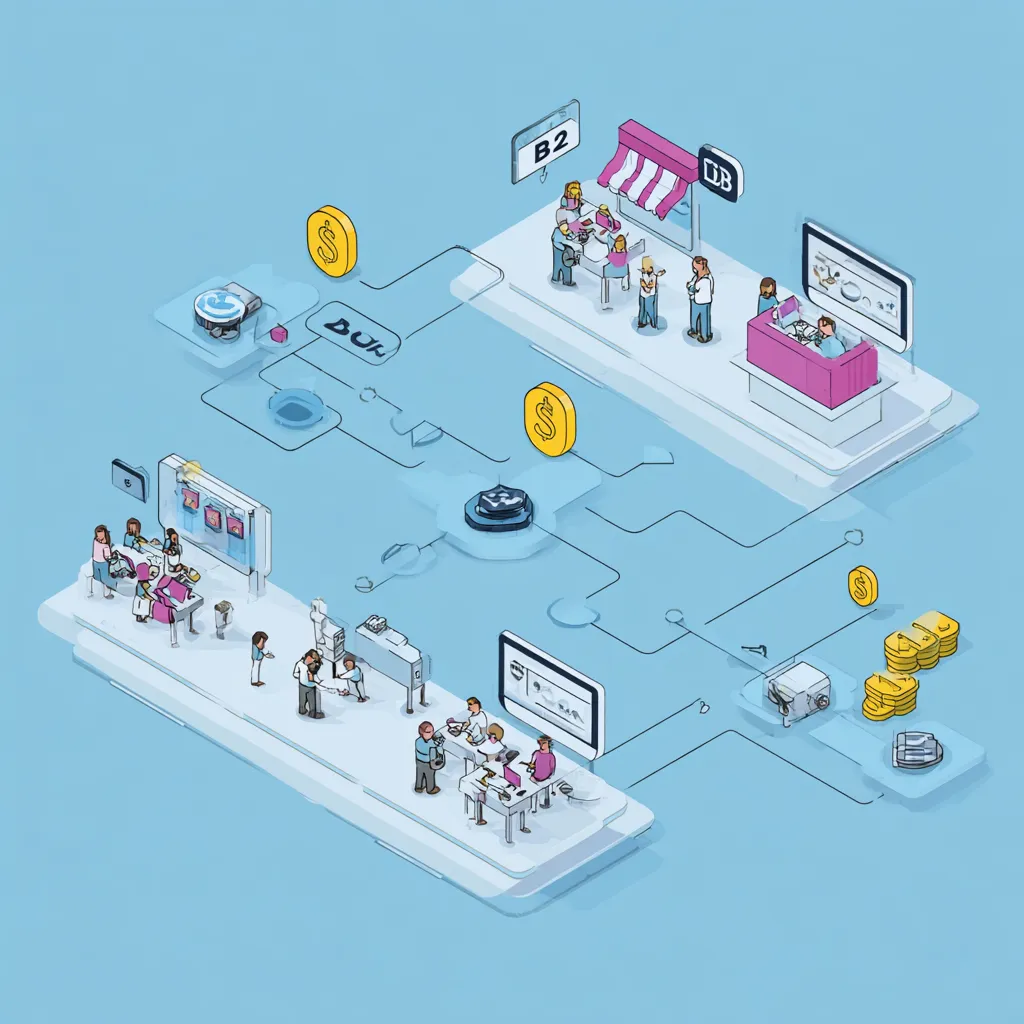
Abicart is engineered to empower your business whether you are selling directly to consumers (B2C) or exclusively to other businesses (B2B), or both simultaneously. Our platform is flexible, providing the right tools to create a tailored and efficient shopping experience for every customer segment.Customizing the Shopping Experience For successful e-commerce, it's essential to present the right information to the right audience. Abicart makes this seamless through powerful features like: Customer Groups: Easily segment your market by creating customer groups. This feature is invaluable for B2B sales, allowing you to: Set custom price lists for retailers or VIP members, providing tailored pricing. Control the product selection and range visibility, so certain products or groups are only displayed to specific logged-in customer groups. Manage payment and delivery methods available at checkout for each group. Customer Login: While B2C often benefits from a fast, "guest" checkout, B2B sales often require a verified login for accessing custom prices and restricted products. Abicart offers optional or mandatory login functionality to support different business models. Logged-in customers can also track orders and view their purchase history on "My Pages". Scaling with the Multi-Store System For businesses looking to fully separate their B2C and B2B operations while maintaining centralized control, the Multi-Store System (available in Abicart PRO) is the ultimate solution. Separate Storefronts: You can create entirely separate sub-stores—one dedicated to B2C and another for B2B—each with its own unique design, theme, and domain name. Centralized Management: Despite having separate storefronts, all products, customer data, and order management are handled from one central administration panel (the top level), greatly simplifying administration and updates. Flexible Assortment and Features: Each sub-store can select whether to use all or only a portion of the total product range, and choose which payment and delivery methods apply to its specific target group. By utilizing Abicart's flexible B2B and B2C tools, you can optimize your sales strategy, enhance customer retention through personalized shopping experiences, and ensure efficient, consolidated order management.
-

Product reviews with Trustpilot, Lipscore and Yotpo
28 Nov 2025
Integrating customer reviews into your webshop is vital for building trust and increasing conversion rates. Abicart supports integrations with leading product review platforms to collect, display, and manage feedback directly on your product pages.The Power of Product Reviews Reviews allow customers to share their experiences with specific products, which are then typically presented below the product description. A steady flow of credible reviews makes potential customers feel more confident about shopping, leading to increased conversion and providing valuable insight into the customer experience. Supported Integrations Abicart offers native support for popular product review services: Trustpilot: You can display Trustpilot product reviews on your pages. Trustpilot requires products to have a valid SKU or product number. You need to obtain a Trustpilot package and their product review service. Yotpo: You can display Yotpo product reviews on your pages. The free version of Yotpo is generally sufficient to get started. Yotpo requires all products to have a product number and does not allow special characters (like spaces or punctuation) in the item number.
-

Product monitoring
28 Nov 2025
Avoid missed sales opportunities when popular products are temporarily out of stock. With Abicart’s Product Monitoring feature, you can easily keep customers engaged and informed when their favorite products are back in stock. A smooth and customer-friendly feature that makes your online store more attractive and encourages repeat visits.With Abicart’s Product Monitoring feature, you give your customers a simple reason to return to your online store. When a product is out of stock, customers can choose to watch it and automatically receive an email as soon as the item is available again. This reduces the risk of lost sales and increases the chances of turning interest into completed purchases. The feature is activated in your Abicart admin and replaces the buy button with a “Watch” button when a product is out of stock. Customers simply enter their email address and receive an automatic notification once the product is back in stock. The feature is included at no extra cost in the Abicart Plus and Pro plans—an easy way to improve the customer experience and boost sales.
-

Customer login
28 Nov 2025
This is an article about the customer login feature available in Abicart Plus and Pro. If you have an account in Abicart and want to log in, do it here If you do not yet have an account in Abicart and want to try to start your own webshop, completely free, click here. Customer login in your webshop Your customers can create accounts for your webshop, get customized prices and discounts, create shopping lists, favorite products and keep track of their previous orders.Customer registers and customer login can be used both for private individuals who want an account in the online shop and if you sell B2B (business customers) and want to have a separate selection of the range or your own price lists for these customers.
-
Integration with Mailchimp
28 Nov 2025
The Mailchimp integration simplifies your email marketing efforts by synchronizing essential store data directly from Abicart.This feature is a valuable tool for effective customer relationship management and promotion, included at no extra cost in the Abicart Plus and Pro subscriptions. What Synchronizes with Mailchimp? The connection ensures that your Mailchimp lists and campaigns are always working with the most current data from your webshop: Customer Data: New customer registrations and updates to existing customer cards in your Abicart customer register are automatically exported to Mailchimp. Product List: New products and updates to existing items are sent to Mailchimp, ensuring your campaigns feature the correct product information. Order Data: New, completed orders and changes to orders (such as being marked as shipped or paid, or if they are canceled) are transferred. This allows for targeted campaigns like abandoned cart recovery, purchase follow-ups, and segmentation based on buying behavior. Getting Started To establish the connection, you must first have an account with Mailchimp and ensure that your store information (email, address, country, postal code) is correctly filled out in the Abicart admin under Settings > Store information, as this is required for secure mailings. The setup involves linking your Mailchimp account in Abicart under Settings > External Connections > Mailchimp and configuring which data events (customers, products, orders) should trigger an immediate update to Mailchimp. You can then begin leveraging Mailchimp's campaign tools using your synced data.
-
Favorite list/Wishlist
28 Nov 2025
Increase sales and strengthen customer relationships by enabling the favorites feature in your Abicart online store. With our favorites feature, customers can easily mark and save their favorite products.Have customers shown interest in your products but never returned? The favorites feature is a simple and effective solution. With the favorites feature, customers can easily mark and save products they like directly in your online store. By clicking the heart icon on a product page, the item is saved to the customer’s personal favorites list. This makes it easy for them to return and find their favorite products again—without having to browse through the entire store. The favorites feature is easy to enable in your Abicart theme and helps create a more personal and engaging shopping experience. By making it easier for customers to return to products they’ve already shown interest in, you increase repeat visits and sales opportunities. Enable the favorites feature in your store and give customers a smooth way to save, return, and purchase.
-
Gift card
28 Nov 2025
Sell digital gift cards that can be used to shop in your online store.With Abicart, you can easily offer digital gift cards that are delivered automatically by email. A perfect way to boost sales, attract new customers, and make it easy for shoppers to give a appreciated gift that can be used immediately in your online store.
-
Discount system
28 Nov 2025
Discounts based on customer group, time periods or discount codes.
-

Abandoned Cart Reminders for Your E-Commerce Store
28 Nov 2025
Remind your customers if they left a shopping cart in the store.Read more about Abandoned cart in the manual.
-
Order confirmation via Facebook Messenger
28 Nov 2025
Enhance the customer experience and streamline support by offering order confirmations directly through Facebook Messenger. This feature provides an instant, dedicated communication channel for order updates and customer service inquiries.This functionality is included at no extra cost in the **Abicart Plus and Pro subscriptions**. Benefits for Your Business Improved Communication: Customers can reply directly to the Messenger confirmation with questions about their order, instantly creating a communication thread that appears on your Facebook Page. Streamlined Support: As a store owner, you can view the complete order details—including the products, order number, and customer information—directly alongside the buyer’s message. This makes it simpler and faster to address specific order inquiries. Increased Visibility: Provides an alternative channel for critical notifications, reducing the chance of emails being missed or caught in spam folders. Customer Experience When a customer completes a purchase, a prompt appears in the checkout allowing them to select "Send to Messenger". Once selected: A message containing a summary of the order is sent immediately to the buyer's Facebook Messenger. The customer can click on the confirmation to view a more detailed order breakdown. Requirements to Activate To successfully implement and use this integration, your webshop must meet the following prerequisites: You must have a **dedicated Facebook Page** for your store (a personal account is insufficient). Your store must be using one of the **responsive Abicart themes**. Your store must have an **active SSL certificate** (HTTPS). Setup and Configuration The integration is activated in the Abicart admin and linked to your Facebook Page: Navigate to **Settings > External Connections > Facebook Messenger**. Check the **"Active"** box, then click **"Continue with Facebook"** and log in using a personal account that is an administrator of the target Facebook Page. Select your store’s Facebook Page from the updated list and save the settings. Finally, you must **"whitelist"** your store's domain within your Facebook Page settings under **Messenger Platform** to allow the integration to function securely.