


Marketing and sales focus
-
Integration to Lipscore
12 Feb 2026
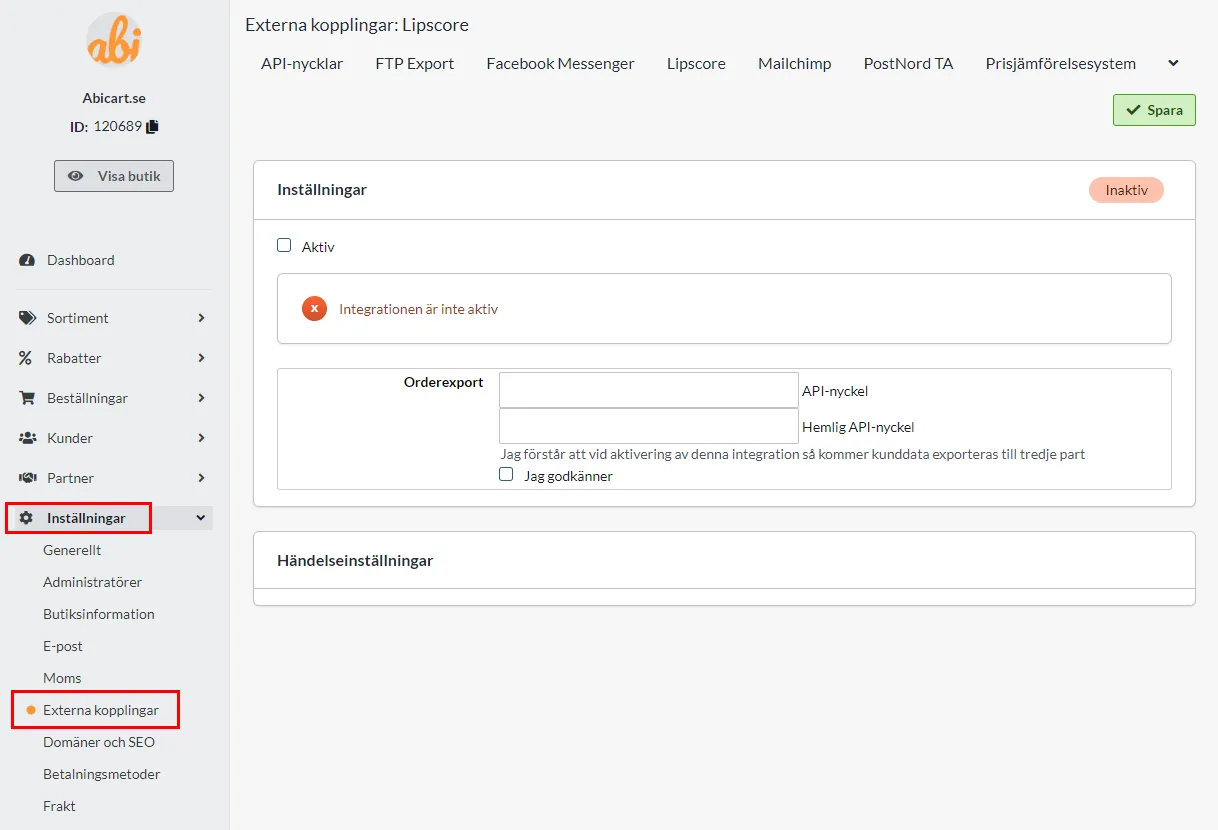
What is Lipscore? Lipscore is a platform for collecting and using ratings and reviews. How to get started Get an account with Lipscore by filling out the following form >>. Activate Lipscore in Abicart Once you have your account and login details for Lipscore, it is time to activate the integration. Go to Settings -> External connections -> Lipscore in Abicart. You need to enter an "API key" and "Secret API key". This can be found in Lipscore-admin. Log in to Lipscore and then go to Settings -> General Settings -> APIsettings. Here you will find the information for "API key" and "Secret API key" that you should copy and paste into Abicart. Enter "API key" in the "API key" field and "Secret API key" in the "Secret API key" field. Check the Active box and save. New settings will then appear under the heading "Event settings". Under "Activation" select "When the order has been sent" and under "Execution" select "Update directly". Then save. Now the integration to Lipscore is activated and all new orders will be exported to their system as soon as an order is placed. You then manage your mailings in Lipscore's admin under Settings -> Invitation setup. For questions on how to do this, we refer to Lipscore's support. Add display of reviews in the store The start page To add the Lipscore widget to the home page, go to the active theme. Appearance -> Themes -> select the theme, edit. Under Content -> Home page, click on "Add block". Locate the "Lipscore service review" box and click "Select". Then enter your API key from Lipscore in the field. You can find it in Lipscore's admin under Settings -> General Settings -> APIsettings -> API key. It is possible to enter keys for different languages by clicking on the language files. Then click on done and save. The block will end up at the bottom of the home page. If you want to move the block, you can select it, drag and then drop it in the position you want it. Product page To enable the display of Lipscore reviews on the product page, you need to enable a setting on the theme. Appearance -> Themes -> select the theme, edit. Go to Content -> Product Page and scroll down to "Lipscore Rating Widget". Click on "Enabled". Then scroll down to the "Bottom of the product page" and click on "Add block". Select "Product Reviews Widget". Select "Lipscore" Then fill in the Lipscore API key in the languages you want to use. You can find it in Lipscore's admin under Settings -> General Settings -> APIsettings -> API key. Click "Done". Then click the save button.
-

Marketplace integrations: Sello, Fyndiq, CDON and more
28 Nov 2025
Expanding your sales channels to include popular marketplaces is a proven strategy for reaching new customer segments and boosting revenue. Abicart offers robust connections to e-commerce platforms like Sello, which acts as a centralized hub to manage your presence on major marketplaces such as Fyndiq, CDON, Amazon, Tradera, and eBay.Centralized Marketplace Management with Sello Sello is an e-commerce automation platform designed to simplify multi-channel selling by bringing all your sales channels together in one place. By integrating your Abicart shop with Sello, you can: Streamline Product Flow: Use your product information from Abicart to manage and enrich your marketplace listings, ensuring consistency across all channels. Automate Order Processing: Orders placed on connected marketplaces flow seamlessly into your primary e-commerce system (Abicart), simplifying order management. Manage Multiple Marketplaces: Sello provides the link to major Nordic and international marketplaces, including Fyndiq, CDON (a leading Nordic marketplace), Amazon, Tradera, eBay, and Miinto, all managed from a unified dashboard. This integration eliminates the need for manual data entry and separate management tools for each marketplace, allowing you to focus on growth and sales rather than administrative overhead. Whether you choose to use Sello to complement your Abicart store or as a central platform for all your product and order data, it provides a scalable, cloud-based solution for multi-channel success. Connecting Your Abicart Shop The technical connection is straightforward. From your Abicart admin panel, you can retrieve your unique Store ID and generate an API Key under Settings > External Connections. These credentials are then used within the partner platform, such as Sello, to establish the automated link. Once connected, your Abicart product data can be used to populate your marketplace listings, and order flows are managed effectively. Abicart’s compatibility with powerful external integration platforms like Sello gives you the flexibility to grow your business internationally and diversify your sales channels with minimal complexity, regardless of your current experience level.
-

Facebook Conversion API and retargeting with Meta
28 Nov 2025
The success of advertising campaigns on platforms like Facebook and Instagram (Meta) relies heavily on accurate data. As browser privacy settings and ad-blocking software become more widespread, traditional browser-based tracking methods, such as the Meta Pixel, can face limitations, resulting in data loss. To counteract this, Abicart offers an integration with the Facebook Conversions API (CAPI).How Conversions API Improves Your Marketing CAPI establishes a secure, direct, server-to-server connection between your Abicart webshop and Meta's systems. This server-side tracking complements the Meta Pixel by ensuring that crucial marketing data, like customer actions and conversion events, is accurately captured and sent to your Meta Ads Manager, even when browser restrictions interfere with the pixel. By implementing CAPI, you benefit from: Improved Data Accuracy: CAPI bypasses ad blockers and browser limitations, leading to a more complete and reliable dataset for your advertising efforts. Enhanced Ad Optimization: With a consistent flow of high-quality data, Meta's ad delivery algorithms can better optimize your campaigns, potentially reducing your cost per result. Effective Retargeting: The precise data collected by CAPI improves your ability to create highly effective Custom Audiences and Lookalike Audiences for retargeting, ensuring you reach the most relevant potential customers. Event Deduplication: The Abicart integration is designed to work seamlessly alongside the Meta Pixel, using matching event IDs to prevent double-counting conversions in your reports. Key Events Tracked by the Integration The Abicart integration supports server-side tracking for critical e-commerce events, providing Meta with a comprehensive view of the customer journey: PageView: A visitor views any page on your shop. ViewContent: A customer views a specific product page. AddToCart: A product is added to the shopping cart. Purchase: A customer completes a purchase. Getting Started To leverage the power of CAPI with your Abicart shop, you will need a Meta Business Manager account, your Pixel ID, and a Conversion API Access Token. The final setup involves entering these details within the theme's extension settings in your Abicart admin.
-

Header banners for promotions and discounts
28 Nov 2025
Make sure your customers immediately see your most important messages, such as temporary offers, discounts, or free shipping, by using the Header Banner feature in your Abicart theme.A header banner is a dedicated field you can activate at the very top of your shop's pages. It serves as an excellent way to communicate current promotions that drive sales and improve the user experience by immediately informing visitors of advantageous terms. The banner can display a customizable main text and optionally include a button. This button can be directly linked to a specific page, product, or product group, guiding customers straight to the relevant offer details or discounted collection. A smart feature of the text banner is its dismissibility: a visitor can close the banner by clicking a checkbox. This choice is saved in their browser, ensuring the banner does not reappear during their subsequent visits unless they clear their cookies. This balances effective promotion with a respectful user experience. You can manage and activate the banner within your theme settings under the "Add-ons" tab, giving you control over the main text, button text, link destination, and even the background and button colors.
-

Related products and “Customers also bought”
28 Nov 2025
Abicart's features for related products and "Customers also bought" are powerful tools designed to boost sales and enhance the customer experience in your webshop.Available in Abicart Plus and Pro subscriptions, this functionality lets you intelligently suggest additional items to your customers on product pages, encouraging larger orders and higher average transaction values. Smart Product Recommendations Manually Curated Lists: Easily create specific lists, such as "Accessories" or "You Might Also Like," to display at the bottom of a product page. These lists can be entirely managed by you to ensure the most relevant cross-sells are presented. Automatic Suggestions: Alternatively, let the system intelligently take the lead. By selecting "Automatic" in the settings, Abicart will display products that other customers frequently purchased at the same time as the currently viewed item, or products whose pages they visited beforehand. Flexible Display: You have control over where these product relationship lists are displayed: on the product page, in the shopping cart, or both. You can also customize the presentation style to appear as a list or a table. Streamlined Management with Product Templates For shops with a large inventory, the feature is made even more efficient: Create and save product relationship lists on a Product Template. This allows you to easily apply the same list of accessories or suggested items to many different products simultaneously, saving significant time on manual setup. By leveraging the power of related products, you guide your customers seamlessly through your catalog, transforming browsing into buying and maximizing the potential of every single visit to your store.
-
Scheduled campaigns and time-limited offers
28 Nov 2025
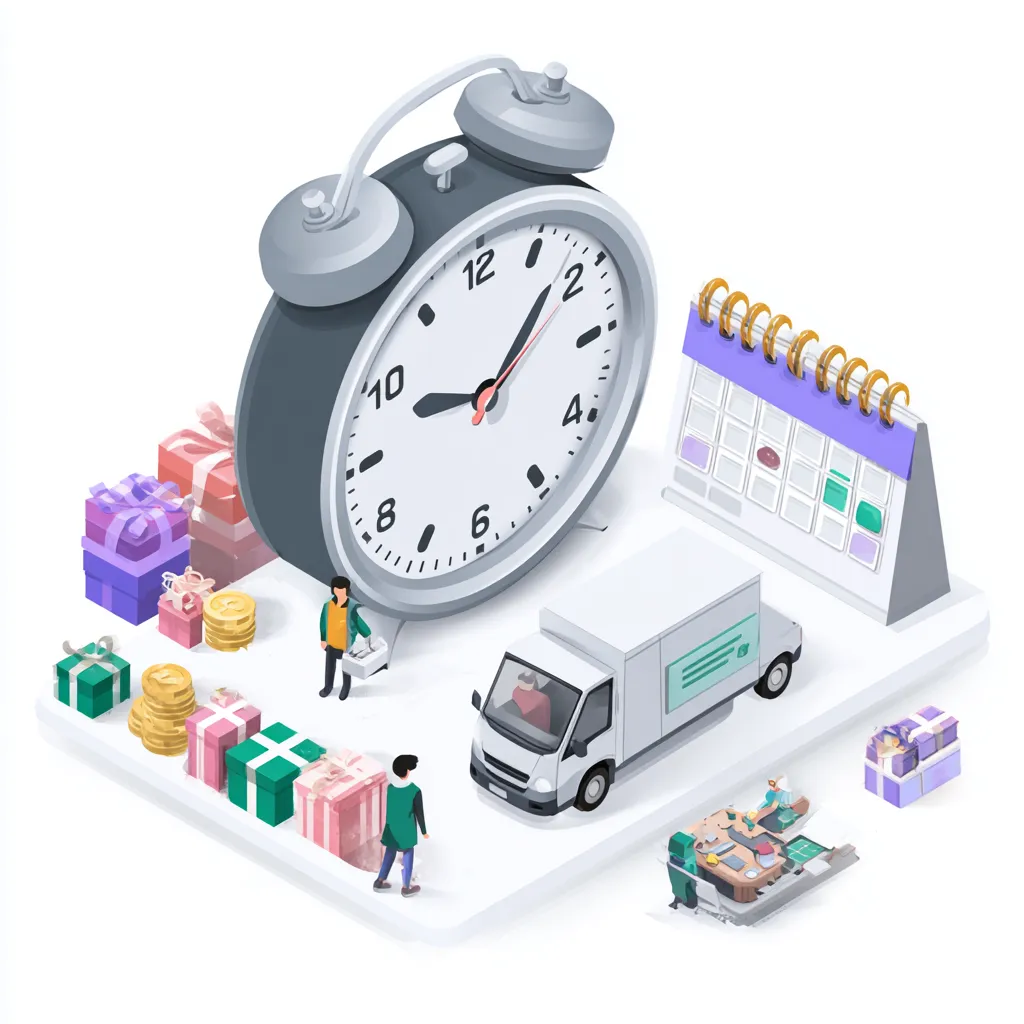
Maximize your sales and create excitement with precise control over pricing changes and promotions. Abicart provides advanced scheduling functionality that allows you to prepare price reductions, special offers, and limited-time campaigns days or weeks in advance, ensuring they go live and expire exactly when intended.Price List Scheduling for Sales The pricing system in Abicart utilizes multiple price lists, offering flexibility for managing your regular and extra prices. For time-limited sales events, such as a major holiday or a flash sale, you can leverage the scheduling tool: Prepare in Advance: Create a dedicated "Extra Price List" containing all the discounted prices for your upcoming campaign. Set the Activation Time: Under the Discounts > Scheduling section, you can select this new price list and set an exact start date and time for it to become active in your storefront. Automatic Reversion: For temporary sales, set a deactivation date and time. The system will automatically revert to your regular, previously active price list when the campaign ends, eliminating the need for manual late-night updates. Time-Limited Discounts Beyond price list changes, all discount types in Abicart—including fixed discounts, percentage discounts, "Buy X, Pay for Y" offers, and "Cheapest Product Free" campaigns—can be scheduled for specific periods. Start and End Dates: When creating a new discount, use the Scheduling settings to define a clear start date and an end date. The system activates the discount at the beginning of the start day (00:00) and ends it at the close of the end day (23:59). Event Countdown: For major promotions, the Event countdown block can be placed on your homepage to visually build anticipation by displaying a timer counting down to the campaign's start or end time. Text Banner: Use the customizable Text banner feature, which can be active on all pages, to highlight the time-sensitive offer, perhaps linking directly to the discounted product group. This comprehensive control over scheduling ensures your promotions are always executed flawlessly, providing a professional and consistent experience for your customers while freeing up your time during critical sales periods.
-

Blog and news pages in your webshop
28 Nov 2025
Abicart provides a flexible way to create dynamic content like a blog or news section for your online store by utilizing its Custom Pages feature.Why Content is Key Creating and regularly updating a blog or news page with high-quality, relevant content is crucial for a successful webshop. [cite_start]It can enhance your search engine optimization (SEO) by providing fresh keywords and valuable information that answers customer questions, thereby increasing your store's visibility in search results. Building Your Blog/News Pages The standard pages offered by Abicart include essential elements like "Terms & Info" and a "Contact form", but for custom content like a blog or news page, you create an Own Page. Navigate to the My Pages section in your admin area to create a new page. Use the Optional text/image block within the page editor to add rich content, including text, images, and embedded videos (such as from YouTube). For advanced formatting, the editor supports HTML, allowing for semantically correct tags (like <h2>, <p>, <ul>) which is highly recommended for strong SEO. Customizing Your Presentation To ensure your content displays correctly and is mobile-friendly, be mindful of image and table sizing. If you embed content or use tables, always ensure their width is set using relative percentages, such as width: 100%, rather than fixed pixel values, to maintain a responsive design across all devices. Making the Page Accessible Once your news or blog page is created, it does not automatically appear in your shop’s navigation. You must manually create a link to it in your theme's menu settings to make it visible to customers.
-

Customer reviews for your store with Trustpilot and Lipscore
28 Nov 2025
Authentic customer feedback is critical for building trust and driving sales in e-commerce. Abicart provides built-in support for seamlessly integrating with two of the leading review platforms: Trustpilot, Yotpo, Lipscore.Collect Reviews Automatically By connecting your Abicart shop, you enable the Automatic Feedback Service (AFS) offered by these platforms. Your order data is securely exported to Trustpilot or Yotpo, which then takes over the process of sending automated review requests to your customers after a purchase. This ensures timely collection of fresh feedback without manual effort on your part. **Trustpilot** requires a standard package plus their product review add-on, and mandates that products have an SKU or product number for functionality. **Yotpo** can be used with their free version and also requires all products to have a valid product number (using only letters, digits, hyphens, and underscores, avoiding special characters or spaces). Showcase Trust and Increase Conversion Once reviews are collected, displaying them prominently helps convert visitors into buyers. Abicart allows you to integrate a **Product Reviews Widget** into the bottom of your product pages. By leveraging these platforms, you can: **Display Social Proof:** Showcase star ratings and detailed customer experiences directly below your product descriptions. **Enhance SEO:** Reviews provide fresh, relevant, user-generated content for your pages, helping search engines understand and rank your products more effectively. **Build Confidence:** Genuine reviews act as a powerful form of social validation, making potential customers feel more secure in their purchasing decision. To activate product reviews, simply navigate to your theme's settings in the Abicart admin and select the desired platform (Trustpilot or Yotpo) for the Product Reviews Widget. You will then enter the specific ID or Key provided by the review service to complete the setup.
-

Newsletter subscription forms in your store
28 Nov 2025
Keep your customers engaged and drive repeat business by collecting email addresses directly in your webshop.Abicart offers built-in tools for newsletter management as well as integrations with external services like Mailchimp, giving you flexible options for email marketing: Built-in Newsletter Feature (Abicart Plus and Pro) Functionality: You can create and send newsletters directly from the Abicart admin panel, managing your mailing list within the platform. Subscriber Management: Customers in the customer register who have agreed to receive newsletters can be targeted. Subscription Block: A dedicated block to encourage newsletter sign-ups can be added to your homepage. Once a visitor registers, their email is added to the customer register. Sending Limits: The built-in service has a limit of 2,000 emails per day. For larger lists, the mailing is automatically split over multiple days. Mailchimp Integration (Abicart Plus and Pro) Seamless Connection: Abicart offers a direct integration with Mailchimp, a leading external newsletter service. Data Synchronization: The integration automatically exports your customer list, product catalog, and order information to Mailchimp. This ensures your Mailchimp account is always up-to-date for targeted campaigns. Frontend Forms: You can easily embed Mailchimp's custom signup forms into blocks on your homepage or other custom pages for enhanced subscription functionality. Benefits: This option is ideal for those requiring advanced segmentation, reporting, and high-volume sending capabilities beyond the Abicart native limits. To maximize your reach, remember to explicitly enable the display of the newsletter field in your theme's settings under "Extensions" or "Content" for the relevant page areas.
-

Customer loyalty programme and points system
28 Nov 2025
-

Customer groups and segmentation
28 Nov 2025
Abicart's customer group feature offers a powerful way to organize your customer base and tailor the shopping experience to different segments, which is particularly valuable for businesses operating in both B2C and B2B markets.By leveraging customer groups, you can easily implement customized strategies that cater to specific needs, ensuring maximum relevance and conversion for each customer type. Key Capabilities with Customer Groups Customized Product Assortment: You can select which products are displayed to logged-in customers belonging to a specific group, allowing you to create restricted or specialized product ranges, such as a dedicated catalog for wholesale clients or B2B customers. Unique Pricing and Price Lists: The system allows you to link different price lists to specific customer groups. This is essential for maintaining distinct pricing structures for retailers, wholesalers, or preferred partners compared to standard private customers. Tailored Payment Methods: Control which payment options are available at checkout for each group. For instance, you might enable "Invoice" or other business-centric payment methods only for your approved corporate clients, while keeping standard options for the public. Targeted Discounts and Promotions: Discounts can be restricted to specific customer groups, enabling you to run exclusive promotions, loyalty programs, or trade-specific sales without exposing them to all visitors. Controlled Access: For B2B or members-only shops, you can require customers to log in to view prices or place orders, keeping your trade-exclusive information private. You can also manage new customer registration, either allowing automatic sign-up into a default group or requiring manual approval by an administrator. This flexible segmentation ensures that every customer receives an experience relevant to their status, which is a vital component for building long-term business relationships and maximizing the potential of both your B2C and B2B channels.
-

Upselling and cross-selling in the checkout
28 Nov 2025
Maximize your average order value directly at the point of purchase by strategically presenting related and suggested products in the checkout process.Abicart supports a crucial e-commerce strategy known as upselling and cross-selling through its Related Products feature, which is included in the **Plus** and **Pro** subscriptions. This feature allows you to display highly relevant product recommendations to your customers, such as "Accessories" or "Others also bought," either at the bottom of the product page or when a product is added to the cart. By defining and configuring manually selected lists of related items, you ensure that customers are exposed to complementary products that enhance their purchase, boosting both conversion and sales volume directly through your existing traffic. The flexibility to define these relationships ensures every customer is presented with timely, relevant suggestions right when they are ready to complete their purchase.
-

Countdown timers for campaigns
28 Nov 2025
Instilling a sense of urgency is a proven technique for boosting sales, and a Countdown Timer is one of the most effective tools for this in e-commerce. Abicart provides a built-in feature to effortlessly integrate this powerful psychological trigger directly into your store's homepage.Drive Conversions with Urgency The "Event Countdown" block is designed to build excitement and encourage immediate purchases for time-sensitive events like: Flash Sales and Limited-Time Offers: Clearly communicate the exact moment a discount will expire, compelling visitors to complete their purchase before they miss out. New Product Launches: Generate buzz and anticipation leading up to a release, increasing initial sales volume. Seasonal Promotions: Mark the start of major shopping events, such as Black Friday or holiday sales. Key Features of the Event Countdown Block The setup is highly flexible and can be customized within your theme, allowing you to tailor the visual and timing elements to your specific campaign needs: Custom Timing: Easily set a start date and time for when the countdown should appear and an end date and time for the event itself. Rich Content Integration: Above the live counter, you can add your own informational text, compelling images, or even complex HTML content to frame the event effectively. Design Control: The block offers settings to manage the appearance, including the option to crop a background image and select text color, ensuring it seamlessly matches your store’s theme. Easy Activation on Your Homepage To quickly deploy this conversion-driving tool, you simply access your theme settings: Navigate to Appearance → Themes → Edit Theme. Go to the Home page content tab. Click Add Block and select the Event counting block. Configure the timer settings, content, and design as desired, and then Save. By prominently featuring a countdown timer, you tap into your customers' fear of missing out, transforming casual browsing into urgent action and significantly increasing your campaign's effectiveness.
-

Pop-ups and on-site campaign messages
28 Nov 2025
In the fast-paced world of e-commerce, capturing a visitor's attention instantly is crucial. Abicart provides sophisticated tools to deploy dynamic on-site campaigns, ensuring your most important messages and offers are seen at key moments in the customer journey. Pop-up Dialog: Strategic Messaging for Conversion Our flexible Pop-up Dialog feature allows you to deliver targeted, high-impact messages without requiring complex coding. Whether you need to promote a limited-time sale, encourage newsletter sign-ups, facilitate a quick login, or present a mandatory legal notice (like cookie consent or age verification), a pop-up offers a direct line of communication. Customizable Content: Easily use the built-in editor for simple text and forms, or utilize the "custom" HTML block option for complete design freedom. Best Practice Ready: Abicart helps you implement pop-ups in a way that respects user experience and search engine optimization (SEO). You can avoid intrusive, screen-covering pop-ups on mobile and set up polite triggers like displaying the pop-up only after a user scrolls or attempts to exit the page ("exit intent" on desktop). Text Banner: A Constant Promotional Topline For promotions that need to be visible across your entire site, the customizable Text Banner is the ideal tool. This subtle but effective bar sits at the top of your shop, ensuring visitors immediately see urgent news like free shipping offers or seasonal sales. Persistent Visibility: The banner remains visible on every page, offering continuous reinforcement of your key offer. Call-to-Action: You can include optional button text and link the banner directly to a relevant product, product group, or custom page, driving traffic immediately to the promoted items. The banner is dismissible by the user, and that choice is remembered for a smooth shopping experience. Klarna On-site Messaging: Boost Average Order Value If you use Klarna Checkout V3, you gain access to the powerful Klarna On-site Messaging integration. This tool is a dynamic conversion booster that seamlessly integrates payment information into your product pages, cart, and throughout your site. Payment Transparency: Inform customers about flexible payment options—like installment plans or "pay later" choices—at the crucial moment they are considering a purchase, before they even reach the checkout. Dynamic Messaging: Messages are automatically tailored based on the specific product price or total cart value, helping shoppers understand their buying power and potentially increasing both conversion rates and average order values. Flexible Placements: Choose to display these informative messages in high-visibility areas such as the header, footer, product pages, and cart pages to maximize customer engagement. By thoughtfully combining pop-ups, text banners, and advanced on-site messaging, you can ensure your promotions are noticed, make key information accessible, and guide customers efficiently toward completing a purchase.
-
Price comparison with Pricerunner and Prisjakt
28 Nov 2025
In today's competitive e-commerce landscape, making sure your products are easily found by price-conscious consumers is essential. Abicart provides a streamlined way to integrate your product catalog with leading price comparison services such as Pricerunner and Prisjakt.Expand Your Reach Instantly Price comparison sites act as powerful marketing channels, bringing shoppers actively looking for products directly to your store. By listing your items on these platforms, you leverage their high traffic and reputation as independent comparison services. Abicart simplifies this process by allowing you to generate a product feed, which is a special data file (typically a CSV or XML file) that contains all the necessary information about your products, such as: Product Name and Description Price Item Number Images Shipping Information Instead of manually updating your product listings across multiple sites, Abicart generates a unique URL for this product feed. You simply take this URL and enter it into the administration area of the price comparison service. Automated and Accurate Data Once configured, Abicart ensures that the feed is regularly updated. This means customers viewing your products on Pricerunner or Prisjakt will always see your current prices and inventory information (provided the necessary product details are entered in your shop). To ensure your products are accurately listed and categorized on these external platforms, the system allows you to easily include essential data like the item number and your chosen shipping method and fee. For a product to be included in the feed, basic information such as the item number, product name, description, group, and price must be filled in. By utilizing this feature, you can effectively market your competitive pricing and quality products to a massive audience of conscious consumers, increasing traffic and sales opportunities for your online shop.
-
Using AI to generate product descriptions and translations
28 Nov 2025
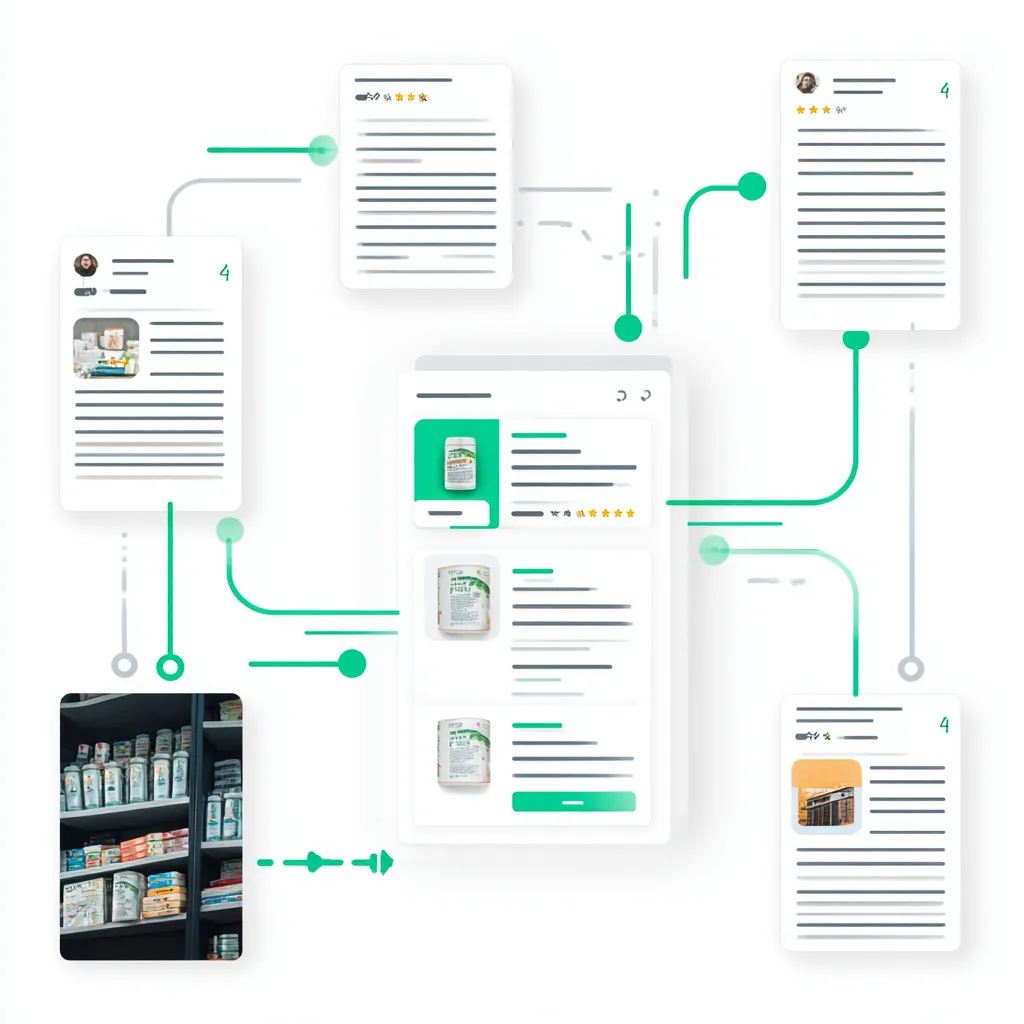
Abicart integrates AI capabilities to help streamline content management in your webshop, making it faster to launch new products and expand into international markets.Automatic Product DescriptionsCreating engaging and accurate product descriptions can be time-consuming. Abicart's AI can automatically generate product descriptions , helping you enrich your catalog content quickly and efficiently.Automated TranslationsExpanding your business internationally requires translating large volumes of text. Abicart facilitates this process by offering automatic translation of product texts, utilizing services like DeepL and Google Translate.This feature is included at no extra cost in all versions of Abicart, making it easier than ever to reach new markets.With the current service, you manage the translations within the admin by clicking the translation button on each product separately.By leveraging these AI tools, you can increase your efficiency and market presence without incurring the typical costs and time associated with manual content creation and translation.
-

Maximize sales in your webshop with Abicart's multi-store and multi-shop system
28 Nov 2025
One click away from becoming the e-commerce king of your industry? Time to put the spotlight on your success with Abicart's multi-store system! Dream big, aim high and let your online empire expand to new horizons. Plunge into the digital landscape with our cost-effective, flexible and powerful platform that allows you to successfully navigate multiple online stores under the same umbrella. Imagine a centralized administration, tailored branding and a world of opportunities for both consumers and retailers. Get on the e-commerce throne and start building webshops with Abicart!Do you dream of expanding your online business, reaching multiple audiences and optimizing your business processes? Abicart's multi-store system is the perfect solution for you! With this powerful and flexible tool, you can easily run multiple online stores under one roof, while streamlining administration and minimizing costs.Click here and start your webshop - Free demo! Abicart's multi-store system / multi-shop is included in Abicart PRO and each subshop costs as Plus. Read more about Abicart PRO Why choose Abicart's multi-shop system? Cost efficiency: Run multiple online stores within the same system, reducing costs compared to having separate PRO subscriptions for each store. Centralized administration: By using the multi-store system, you can easily manage all orders from your different online stores in one place. This saves you time and effort, as you don't have to manage multiple separate systems. Flexibility and customization: The multi-store system allows you to choose whether a sub-store uses all or part of the range, as well as customize payment and delivery methods for each individual sub-store. This gives you full control over the products and services offered in each store and how they are presented to customers. International sales: If you sell to several different countries, you can create a sub-store for each country to customize the range, languages and currencies according to their specific needs. This makes it easier to offer a localized shopping experience for your international customers. Retailers and private customers: The multi-store system is great for businesses that sell to both private individuals and retailers. You can create your own sub-store for retailers with customized prices, offers and terms. Personalized branding and design: Each sub-store can have its own unique look, theme, and domain name, giving you the ability to create a tailored and professional presence for each store and brand. Scalability: Abicart's multi-store system is designed to grow with your business. As your business expands and evolves, you can easily add more sub-stores to reach new markets and target groups. Click here to start your online shop - Free demo! Note that the multi-store system is designed for a business that wants to have several different stores under the same organization. If you have several separate companies and want to have different stores for each company, it is not recommended to use the multi-store system. Instead, you should consider creating individual stores for each company. Things to consider before activating the multi-store system: Revocation: once the multi-store system is activated, there is no way to undo it and revert to a single store. Make sure you are absolutely sure that you want to use the multi-store system before activating it. If you are unsure, you can create a demo shop and test the multi-store system first, at no extra cost. Merging existing stores: Please note that you cannot merge existing stores into a multi-store system. You need to activate the feature in one store and then create all new stores in this multi-store system. You can hide sub-stores that should no longer be active, but you cannot delete them. To activate the multi-store system, contact Abicart support and we will help you with the activation.With Abicart's multi-store system, you get a powerful, flexible and cost-effective solution that allows you to run multiple online stores simultaneously and effectively manage your online business. It gives you full control over your business and the ability to customize each store to your specific needs and target audiences. Invest in Abicart's multi-store system today and take your online business to the next level!Read more in the multi-store system manual:https:// www.abicart.se/om-abicart/manual/flerbutikssystem/flerbutikssystem-oversikt Example:Merch-Ants Sthlm AB (same backend and multiple stores) PC Gamer Hellacopters Backyard Babies Erik Grönwall Super 8 Skid Row - Official European Store Apocalypse Orchestra The Unguided Hardcore Superstar True Metal Merch Multiple online stores under one roof - Try it for free!If you haven't started an online store with Abicart yet, it's time to discover the amazing possibilities that await you. With Abicart's user-friendly and powerful platform, it's easy to get started and create a successful online business. You can start by trying Abicart for free and exploring the various features, including our unique multi-store system that allows you to run multiple online stores under one roof. Don't hesitate - take the plunge today and experience how Abicart can help you reach new heights in your online sales and grow your business. Remember, trying Abicart is completely free and there is no risk in testing. We are confident that you will love our platform and the opportunities it gives you to create a successful online store. Click here and start your webshop - Free demo!
-
Integration with Mailchimp
28 Nov 2025
The Mailchimp integration simplifies your email marketing efforts by synchronizing essential store data directly from Abicart.This feature is a valuable tool for effective customer relationship management and promotion, included at no extra cost in the Abicart Plus and Pro subscriptions. What Synchronizes with Mailchimp? The connection ensures that your Mailchimp lists and campaigns are always working with the most current data from your webshop: Customer Data: New customer registrations and updates to existing customer cards in your Abicart customer register are automatically exported to Mailchimp. Product List: New products and updates to existing items are sent to Mailchimp, ensuring your campaigns feature the correct product information. Order Data: New, completed orders and changes to orders (such as being marked as shipped or paid, or if they are canceled) are transferred. This allows for targeted campaigns like abandoned cart recovery, purchase follow-ups, and segmentation based on buying behavior. Getting Started To establish the connection, you must first have an account with Mailchimp and ensure that your store information (email, address, country, postal code) is correctly filled out in the Abicart admin under Settings > Store information, as this is required for secure mailings. The setup involves linking your Mailchimp account in Abicart under Settings > External Connections > Mailchimp and configuring which data events (customers, products, orders) should trigger an immediate update to Mailchimp. You can then begin leveraging Mailchimp's campaign tools using your synced data.
-
Gift card
28 Nov 2025
Sell digital gift cards that can be used to shop in your online store.With Abicart, you can easily offer digital gift cards that are delivered automatically by email. A perfect way to boost sales, attract new customers, and make it easy for shoppers to give a appreciated gift that can be used immediately in your online store.
-
Discount system
28 Nov 2025
Discounts based on customer group, time periods or discount codes.
-

Affiliate Marketing
28 Nov 2025
Increase your traffic. Spread your content across other people's websites, blogs and discount sites. Partners link to you and generate traffic to your store. If the customer has come to the shop via the partner's link, the partner will receive a percentage of everything ordered by the customer. Distribution is set for the entire range or for each product or product group separately. Read more about own partners (e.g. affiliates) in the manualAffiliate marketing is when a partner, a person or another company (this is called an affiliate) promotes your products or services to their visitors or followers. It could be a company you work with, a blogger or an influencer. Let's take Abicart as an example. If a so-called. "affiliate" would link or otherwise recommend our various e-commerce services, this is exactly what is called affiliate marketing. If companies or individuals then subscribe to an e-commerce solution from Abicart for their webshop, based on the recommendation made by an affiliate, then our affiliate in this case would receive a commission.
-

Instagram Feed
28 Nov 2025
Show your instagram feed in the webshop.There are several benefits to displaying your Instagram feed on the homepage of an online store. Firstly, it can help increase engagement from visitors to the site, as it gives them an insight into what's happening behind the scenes and shows how the business or brand is using Instagram. It can also help to increase trust in the business or brand, as it shows that it is active on social media and has a strong online presence.Another benefit is that it can help increase sales, as it gives visitors a chance to see the products in use and get inspiration for how they can use them. It can also help increase traffic to the Instagram account, as visitors to the website may want to follow the business or brand on Instagram to see more content.Overall, displaying your Instagram feed on the homepage of an online store can help to increase engagement, trust and sales, as well as increase traffic to the Instagram account. Linking Instagram to your online store homepage The voucher is valid for 60 days. After that, you need to "get the key" again, see step 2 below. You can link your Instagram account to your online shop homepage by following these steps: Go to the Instagram blockNavigate to:Appearance → Themes → Edit → Content → Add block → Instagram Generate an Access Token Click on the "Generate Token" button (see image for reference). You will be redirected to the Instagram login page. Log in with your Instagram account. Make sure it's a Business or Creator account. Click "Share" to authorize and generate a token. Save the settings Access Token is automatically updated in Abicart. Click "Save" to save your changes. Now your Instagram feed will appear on your online store homepage. Customization options Sorting (Up to 25 images) Recent: Displays the most recent posts from your Instagram account. Random: Displays a random set of posts. Presentation Grid: Displays posts in a table format. Slideshow: Displays posts as a slideshow. Images Link to the images: Links the posts directly to Instagram. When you click on an image, the post opens in Instagram. Show creation date: Shows when the post was created when you hover over the image. Show beginning of caption: Shows the beginning of the post's caption when you hover, similar to the creation date. With these features, you can seamlessly integrate and customize your Instagram feed on your online store homepage. Remove the Abicart app from Instagram Log in to Instagram Click on More at the bottom left and then select Settings. Under Apps and media, click on Site permissions. Click on Apps & Websites and select the Active tab. Click Delete next to the Abicart IG app to remove it. Remove Access Token from Abicart Navigate to the Instagram block:Go to:Appearance → Themes → Edit → Content → Instagram Click on Delete to remove the component. Click Save to apply the changes. That's it!
-
Built-in SEO features
28 Nov 2025
SEO-optimize your store for better sales.SEO optimization is an important part of running a successful online store. By using the right techniques and strategies, you can make your store more visible to potential customers and increase your sales. Here are some tips for SEO optimizing your store: Choose the right keywords: The first step is to identify the keywords that are relevant to your store and your products. Use tools like Google Keyword Planner or SEMrush to find keywords with high search volume but low competition. Optimizing your website: Your website should be well structured and easy to navigate. Use relevant keywords in headlines, meta descriptions and content. It is also important to ensure that your website loads quickly and is mobile-friendly. Content strategy: Having a good content strategy is important for SEO optimization. Create quality content that is relevant to your products and is also easy to share on social media. Also, use keywords in your content to increase its visibility. Product description optimization: Having good product descriptions is important to attract customers and increase sales. Use relevant keywords in your product descriptions and make sure they are well structured and easy to read. Create internal links: Having internal links to your products and other pages on your website can help search engines index your website and increase its visibility. Use social media: Social media can be a great platform to promote your store and products. Use relevant keywords and link to your website to increase traffic and sales. By using these SEO optimization strategies, you can increase the visibility of your online store and boost sales. Keep in mind that SEO is a long-term strategy, so it may take time to see results. But with patience and commitment, you can achieve success with your online store.
-

Abandoned Cart Reminders for Your E-Commerce Store
28 Nov 2025
Remind your customers if they left a shopping cart in the store.Read more about Abandoned cart in the manual.
-
Integration with Google Analytics
28 Nov 2025
Get complete visitor statistics with one of the world's best analytics tools.As part of our commitment to helping our customers run successful e-commerce businesses, we at Abicart are pleased to offer easy integration with Google Analytics. In this article, we will go over what Google Analytics is, how it can benefit your webshop, and how easy it is to connect your Abicart webshop to Google Analytics. What is Google Analytics? Google Analytics is a free web analytics service that helps you track and analyze traffic to your website. Google Analytics gives you insights into how visitors interact with your online shop, which pages perform best, and where your traffic comes from. This information is invaluable for understanding your customers' behaviour and can help you optimize your marketing strategy and improve your conversion rate.Benefits of connecting your Abicart webshop to Google Analytics:The connection between Abicart and Google Analytics gives you the following benefits:Increased insight: Get detailed information about how visitors find and interact with your webshop.Better decision-making: Use the insights you gain to make informed decisions about marketing, product offerings and website design.Increased conversion rates: customize your online store based on the insights you get from Google Analytics to increase conversions and sales.Measure the effectiveness of marketing campaigns: Track sources of traffic and evaluate how effective your marketing efforts are. How to connect your Abicart webshop to Google Analytics: Connecting your Abicart webshop to Google Analytics is easy and only takes a few minutes. Here is a step-by-step guide to get you started:Create a Google Analytics account if you don't already have one. Visit https://analytics.google.com and follow the instructions to create your account.Once you've created your Google Analytics account, navigate to admin and click on "Data streams".Follow the instructions to add your webshop and generate your unique measurement ID (G-ABCDEFGHIJ). Log in to your Abicart account and navigate to Appearance/Themes in the main menu. Select the current theme, then click on the Extensions tab and select Google. Enter your unique ID in the "Google Analytics" field.Click "Save" to activate the integration between Abicart and Google Analytics.Connecting your Abicart webshop to Google Analytics is easy and offers many benefits for your e-commerce business. By integrating these two platforms, you'll gain valuable insights into visitor behavior, which will help you make informed decisions about marketing, product offerings and website design. So don't hesitate to take advantage of this simple integration and improve your online shop's performance and profitability. Remember that our team at Abicart is always here to help you if you have any questions or need further support.
-
Google Shopping: increasing your e-commerce visibility and sales
28 Nov 2025
Google Shopping is a popular and effective service from Google that helps e-commerce businesses promote their products and reach potential customers. It is a product advertising platform where businesses can display their products directly in Google search results, making it easier for customers to find and compare products from different online stores. In this article, we'll cover what Google Shopping is, how it works, and how it can help you increase your online visibility and sales.
-
Facebook product catalog
28 Nov 2025
Show your products on your Facebook page.
-
Meta Pixel (Facebook)
28 Nov 2025
The Facebook pixel helps you measure customer actions, create audiences and unlock optimisation tools.
-

Landing pages in your webshop (Custom pages)
28 Nov 2025
Build high-converting landing pages for your campaigns and offers. What is a landing page? With Abicart's "Own pages" you can build any subpages you want in your webshop. The starting point for a landing page can be a unique search phrase or keyword to streamline your search engine optimization, or a promotion or discount that you want to draw your visitors' attention to. On the landing page, you can create customised design and content, and you can also add entire product groups, individual items or selected products. Read more about creating custom pages in the manual
-
No transaction fees
28 Nov 2025
You only pay for your chosen shop package. Abicart does not charge any transaction fees. (Transaction fees for payment solutions may apply, depending on which ones you choose) Read more about versions and prices